I know how to make design tradeoffs that prioritize user’s adoption velocity. I can balance competing requirements, translate specs into complete workflows, and coordinate with distributed teams to ship fast. Exactly what was needed to de-risk this high stake NFI.
CHALLENGE
Digital Credentials (like mAadhar or mDL) belong in our phone wallets, but creating them is an operational nightmare for issuing organisations. They have to manually write hundreds of lines of complex code to build them - resulting in constant bugs and broken implementations.
BUSINESS GOAL
To eliminate this bottleneck, IBM's goal was to build an intermediate platform that allows organizations to configure, manage, and issue secure Digital Credentials without writing code.
MY ROLE
I lead the design efforts from 0-to-1 on this project. That's about collaborated closely with security architects, engineers, and data scientists to translated this complex, brand-new technology into intuitive user workflows.
Task Success Rate during pilot testing as users navigated the platform autonomously and securely.
Time to First Issuance, by optimising onboarding flows and reducing user backtracking by 45%.
Net Promoter Score (NPS) from early adopters, by drastically shortening Time-to-Value (TTV)
Secured multi-million dollar contracts with the Canadian and Luxembourg governments
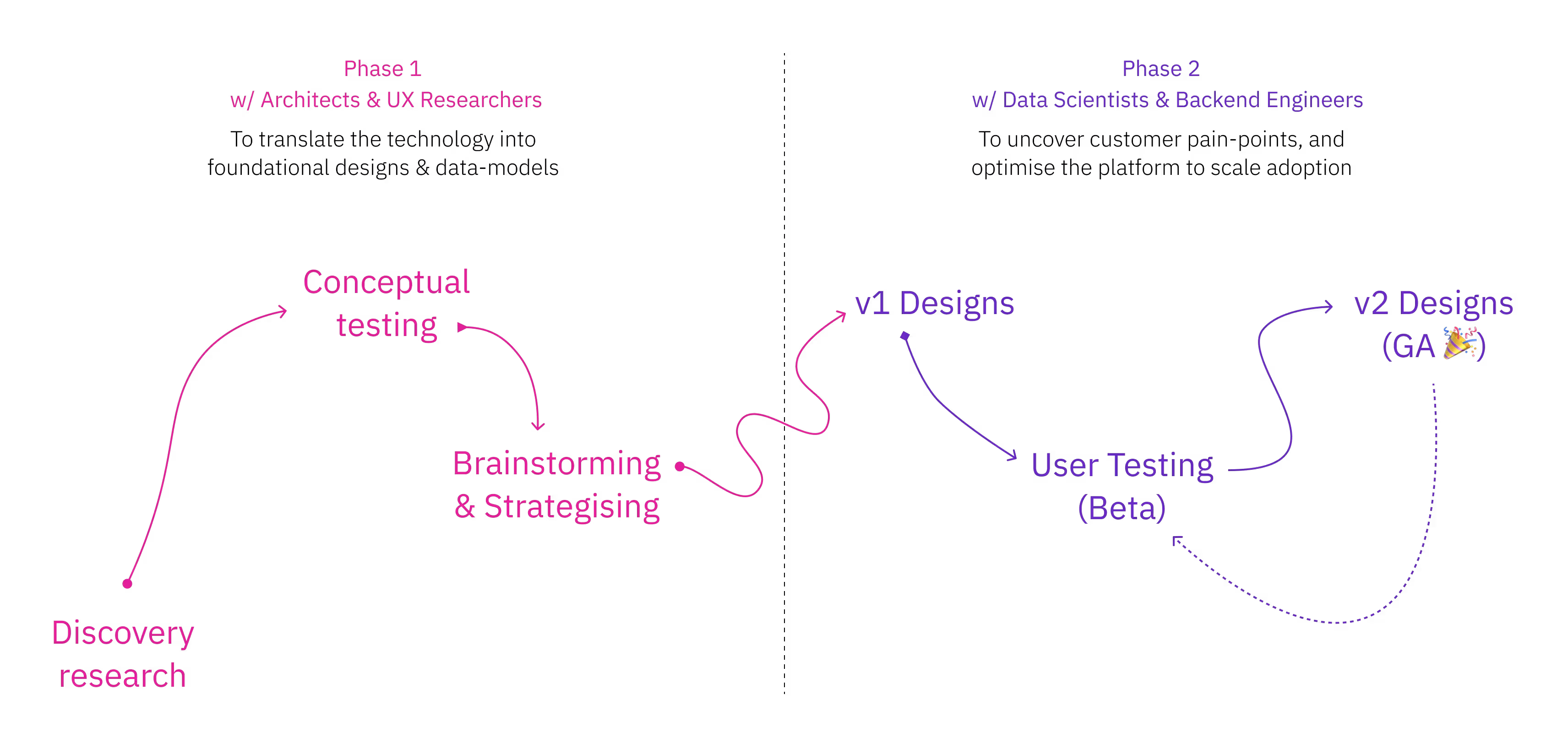
We started from scratch, in complete ambiguity. Because this technology was brand new, there were no existing user mental models or system blueprints to build upon. So we broke our approach into three milestones:
Translate: I partnered closely with architects and UX researchers to strip away technical jargon. We mapped out how raw data constraints would function as foundational information architecture, bridging backend complexity with standard user flows.
Align: We knew our initial concepts were just assumptions. By establishing a rapid, continuous feedback loop with our itarget users, we pressure-tested our concepts against their real-world mental models to ensure the system felt intuitive, not alien.
Scale: With the core architecture locked in, I focused on uncovering granular friction points. By introducing better validation guardrails and polished onboarding tracks, we effectively optimised the platform to drive user adoption.
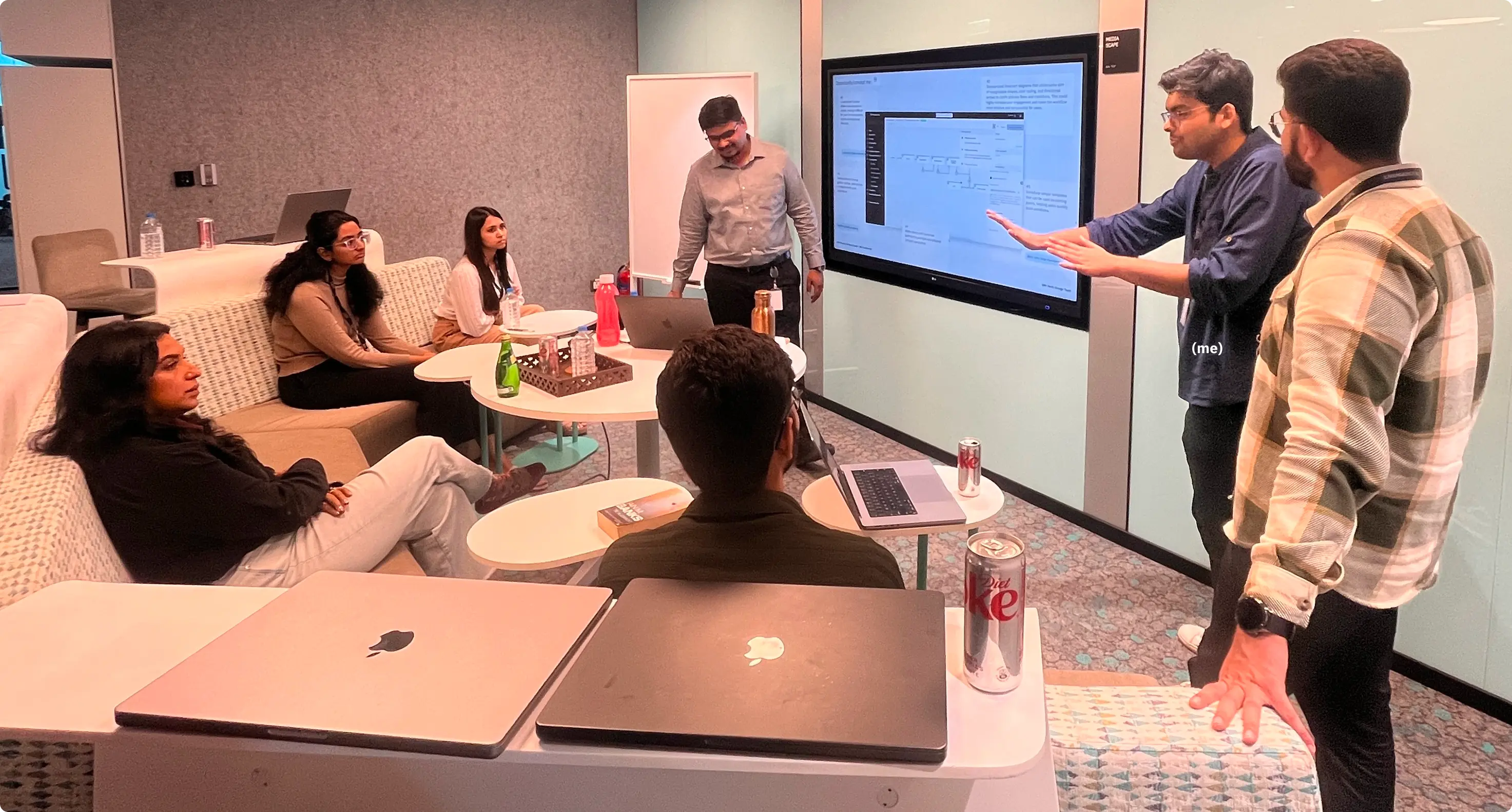
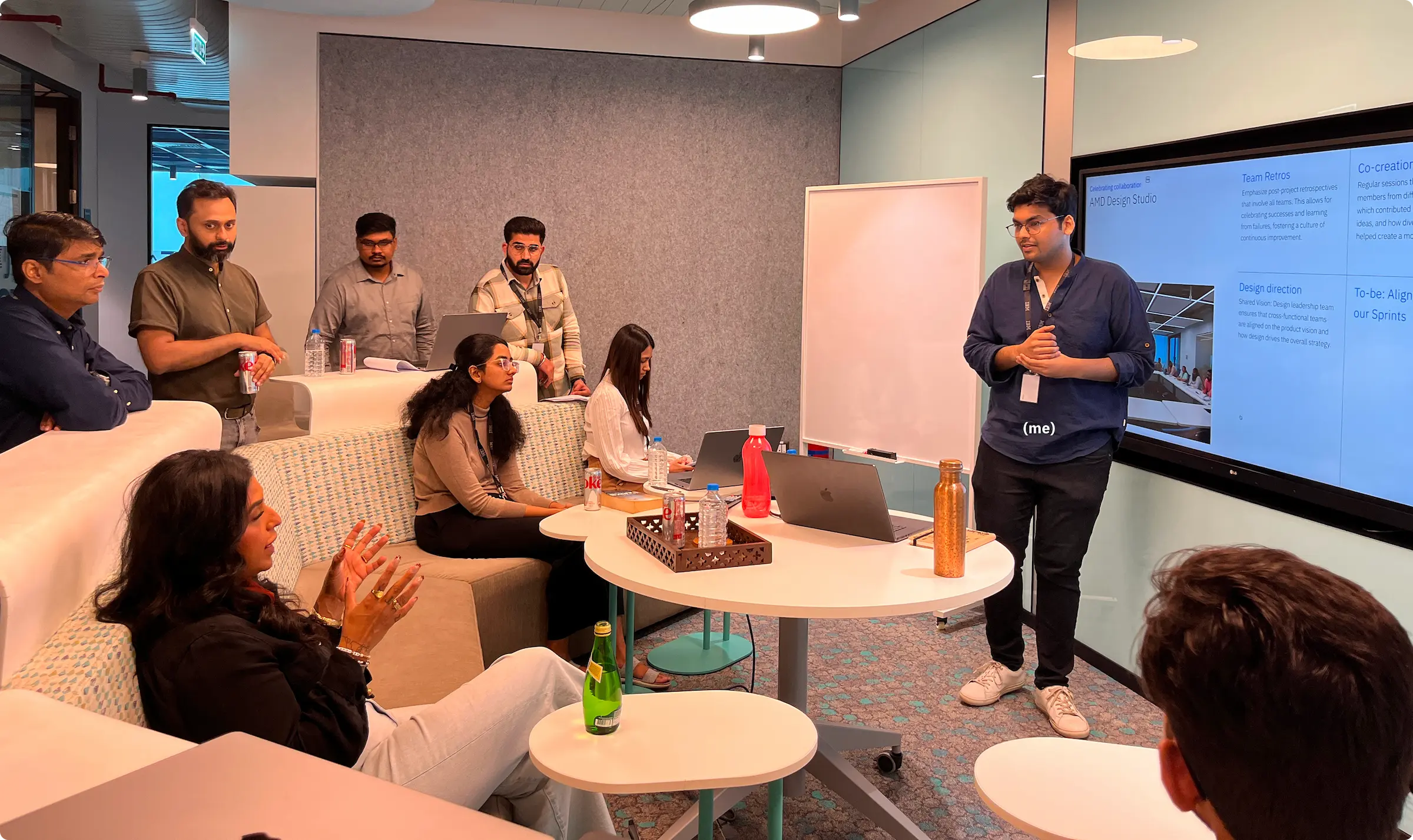
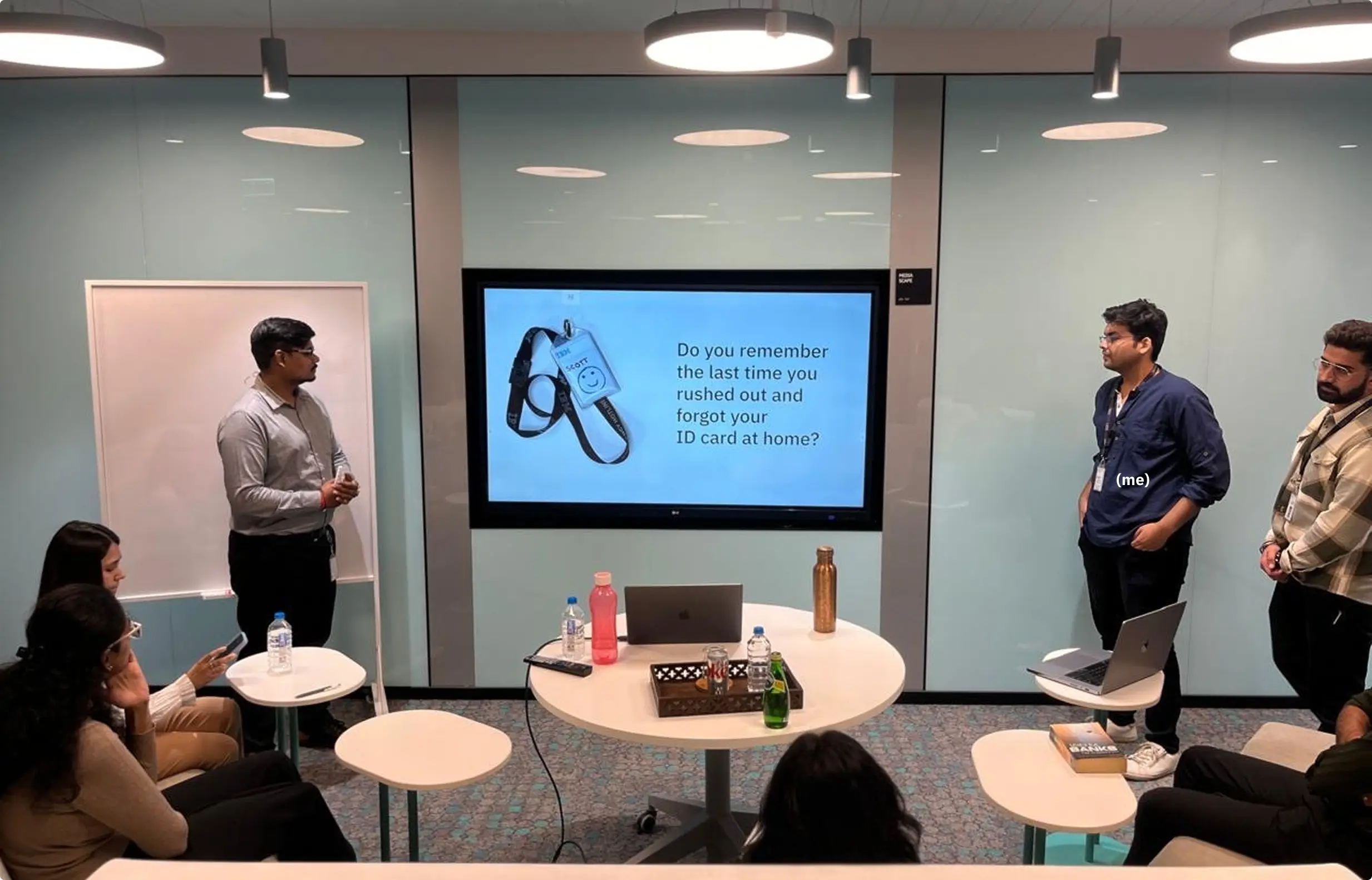


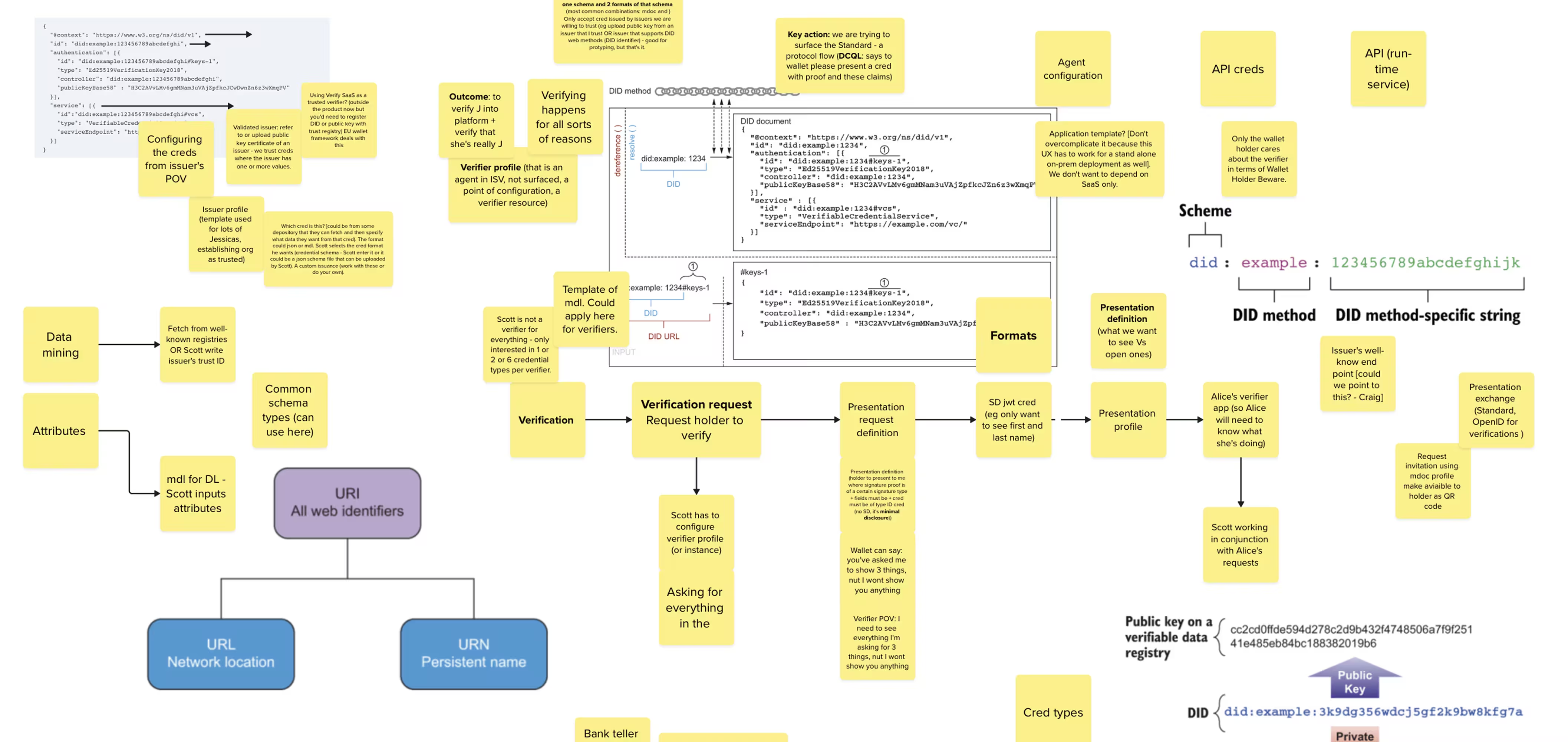
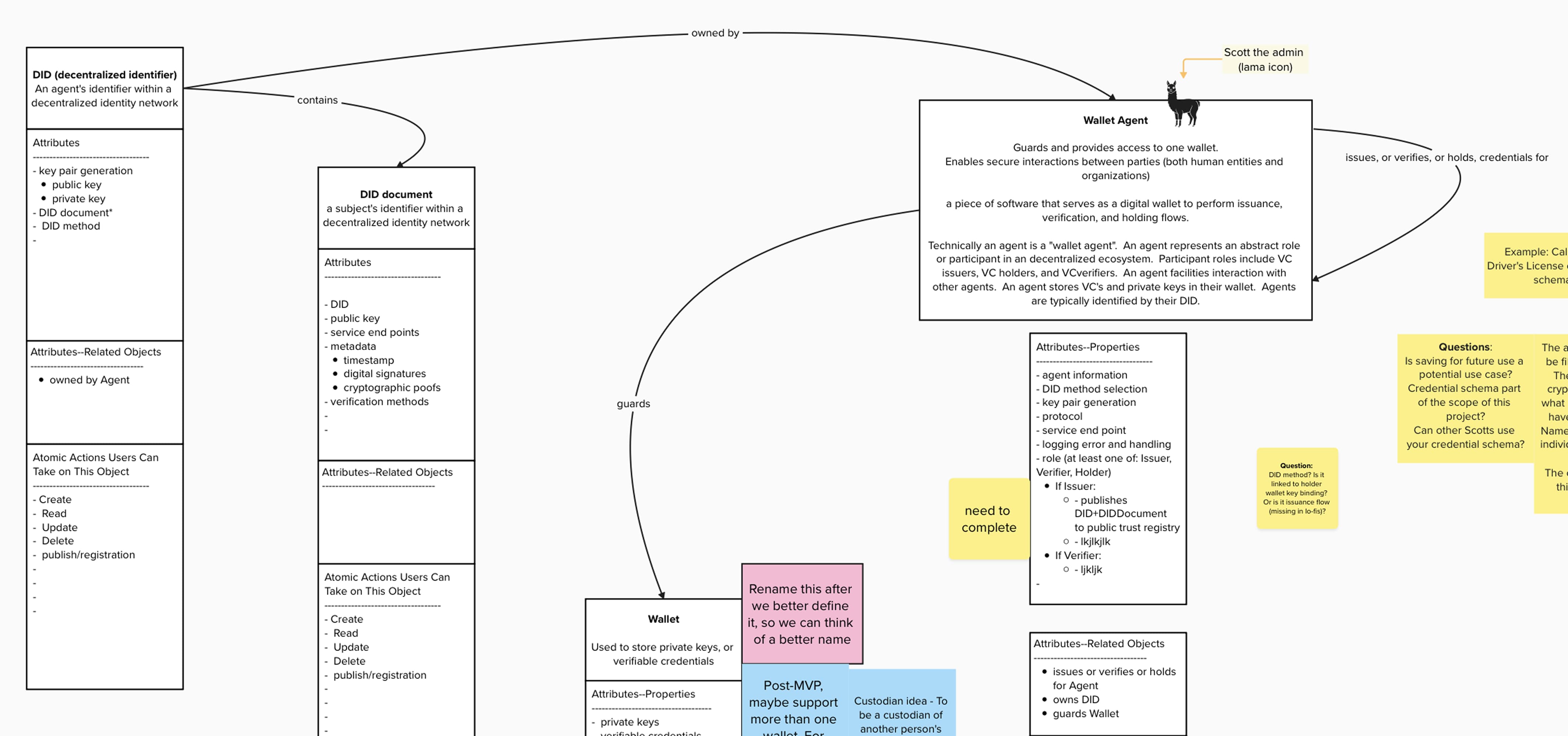
For 3 weeks, architects, devs, and design talked past each other. We were all describing the same thing with different words, and nobody could agree on what the core object even WAS. We'd been circling the "understanding phase" with no clear path to designs. Devs needed something to build. We needed to ship mid-fis. But we couldn't design what we couldn't define.
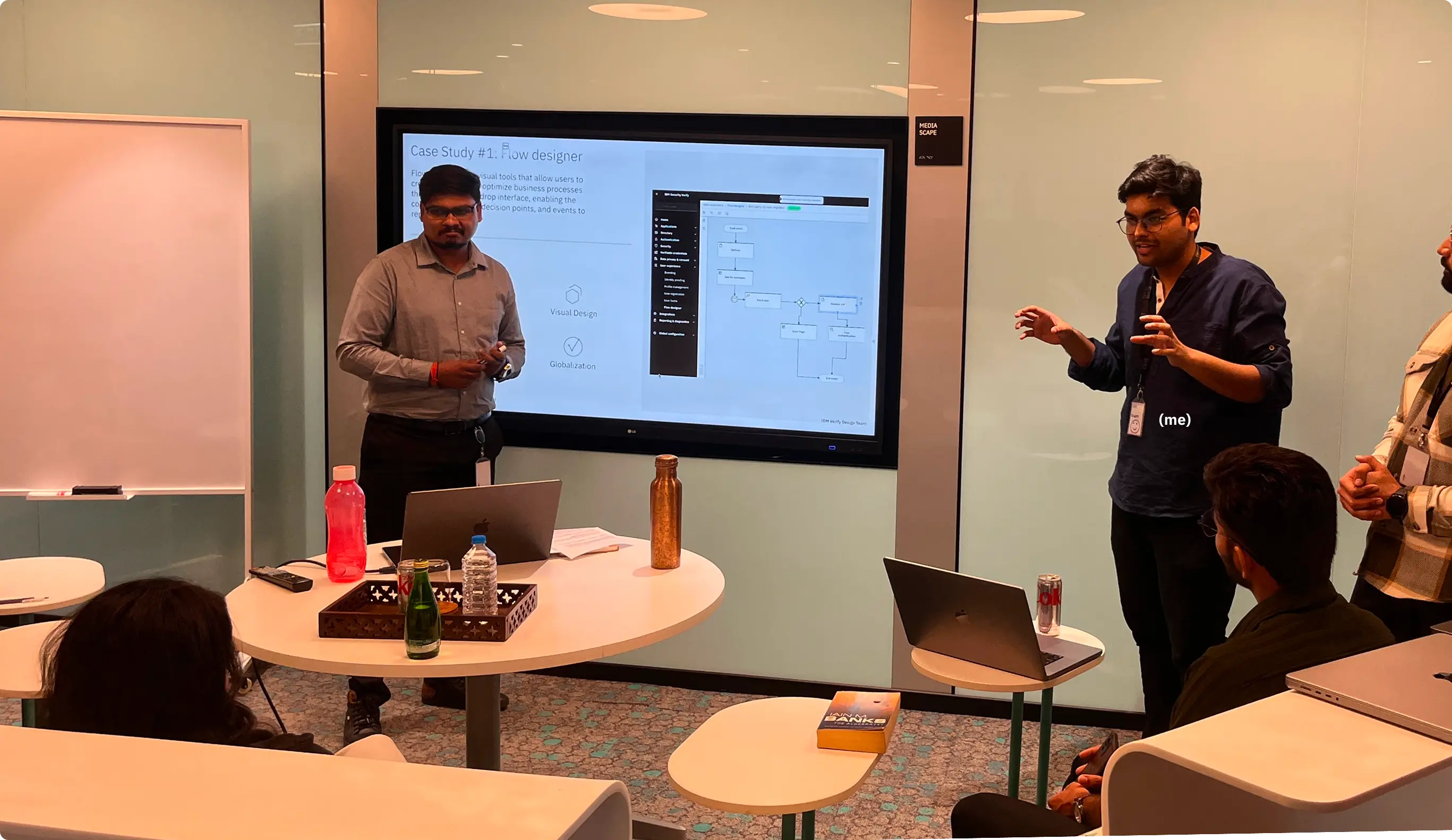
To get the team unstuck, I co-led OOUX (Object-Oriented UX) workshops.
We stopped talking about "features" and started talking about "Objects."
I facilitated the key discussions, that successfully remodelled our backend. We weren't just "designing a UI"; we were fixing the product architecture. This session compressed 3 weeks of circular meetings into 6 hours of high-intensity alignment.
- Objects (not features): Credential Definition, Trust Profile, Issuer Profile, Attribute, Format, Signing Key ...and so on
- Actions on each object: Create, Configure, Publish, Revoke
- Relationships: Credential Definition HAS attributes, USES signing key, REFERENCES trust profile
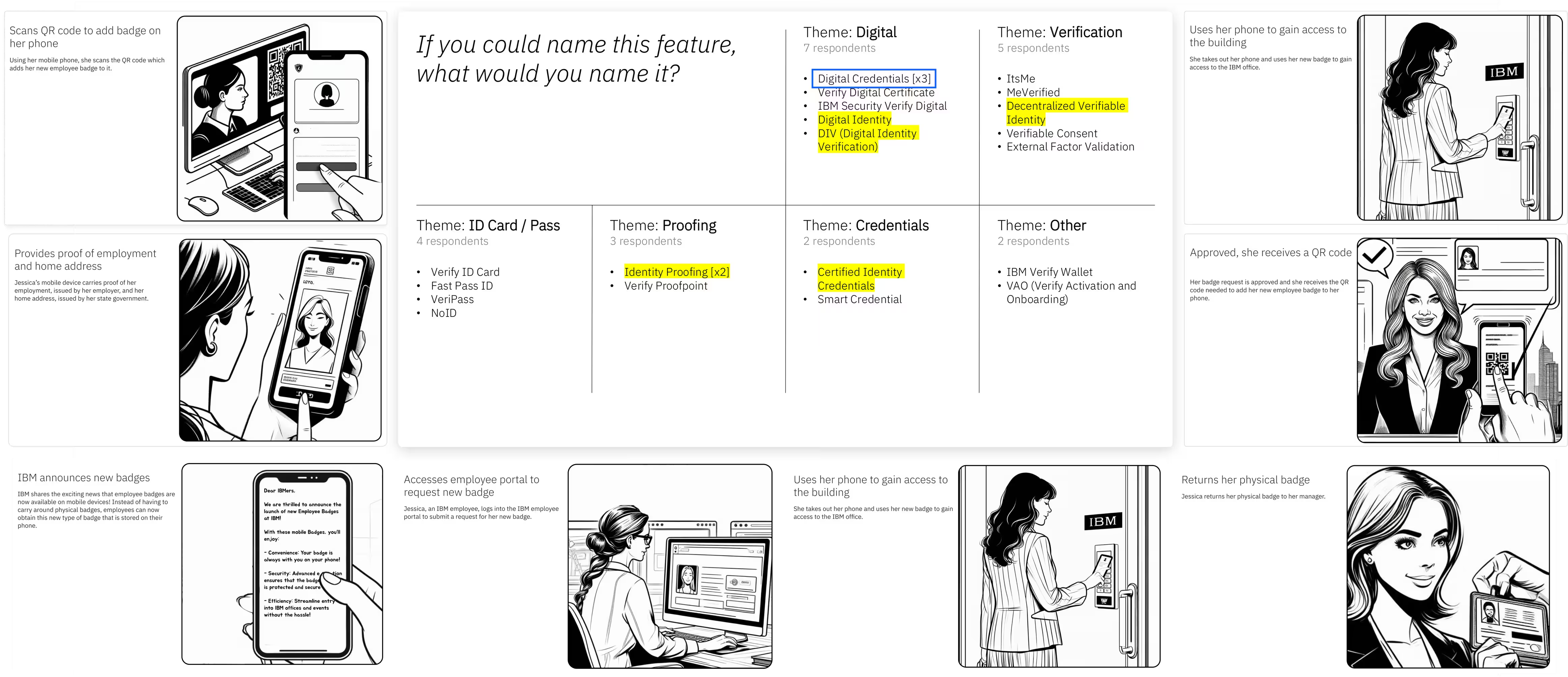
David Moore, our architect, pointed at our diagram and said: "That big vertical block called 'credential' - that's not named correctly. That's not the credential that gets into Jessica's wallet. That's a credential DEFINITION." Boom.
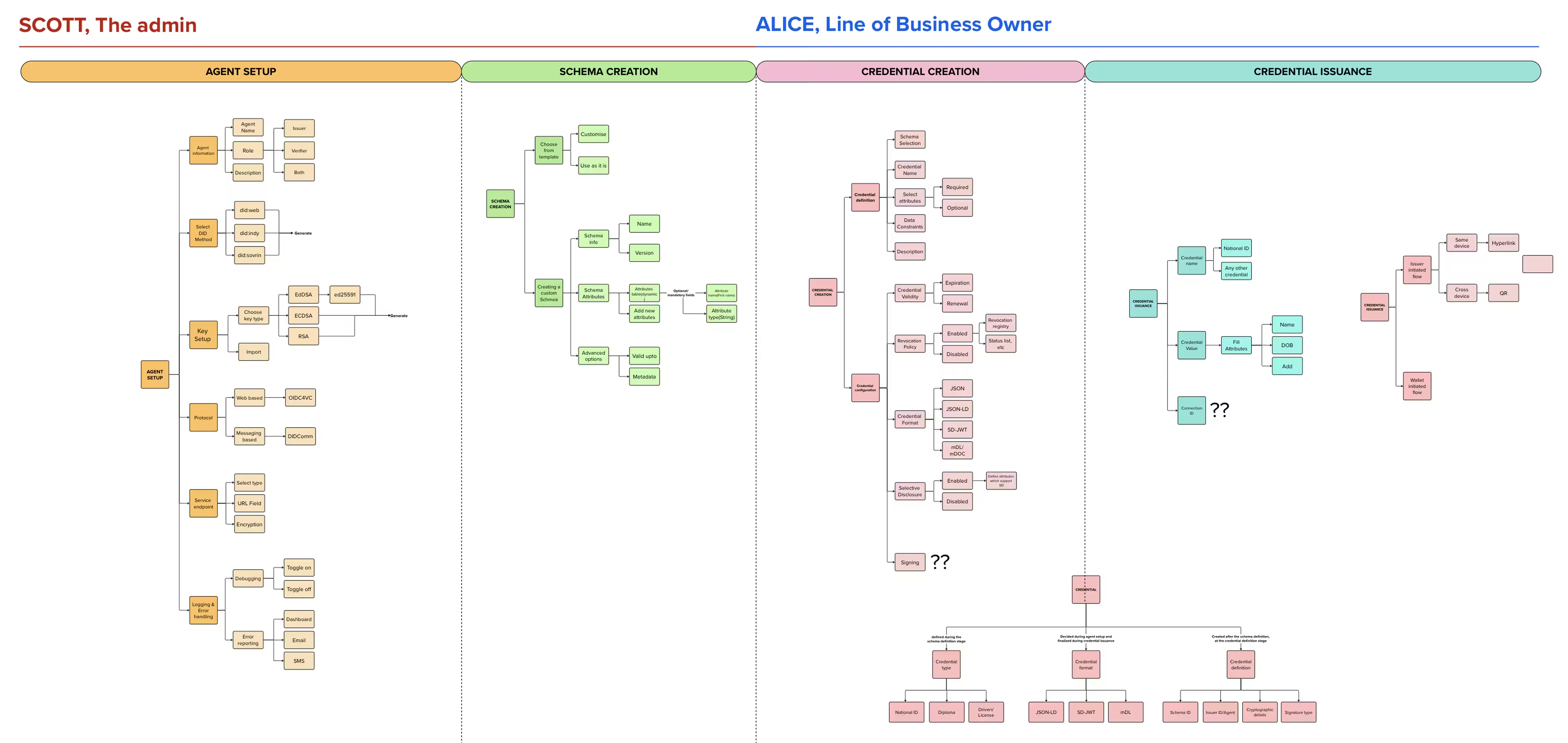
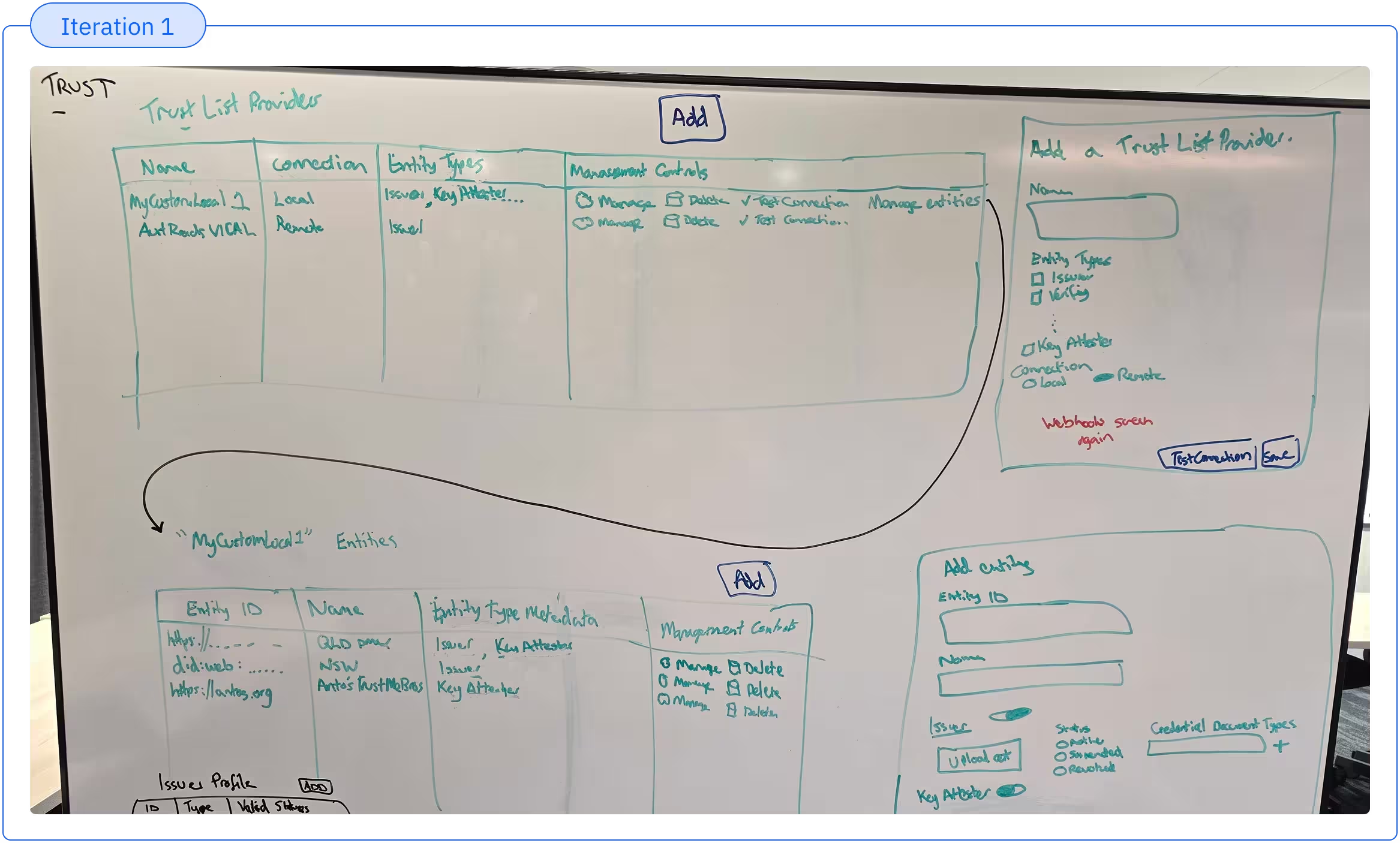
Building on the OOUX data model, we mapped the platform's logical, end-to-end user flows, establishing our first solid user-centric information architecture.
We spent deliberate time here because we needed to balance two distinct user types: keeping it flexible enough for expert users - who treat this as an interconnected ecosystem rather than a linear wizard. While ensuring it guides novices efficiently. Doing this due diligence upfront saved us from fixing foundational flaws later in the designs.
This strategic blueprint led directly to our first end-to-end beta experience, which we co-created and continuously iterated alongside potential customers to close gaps and validate every workflow.
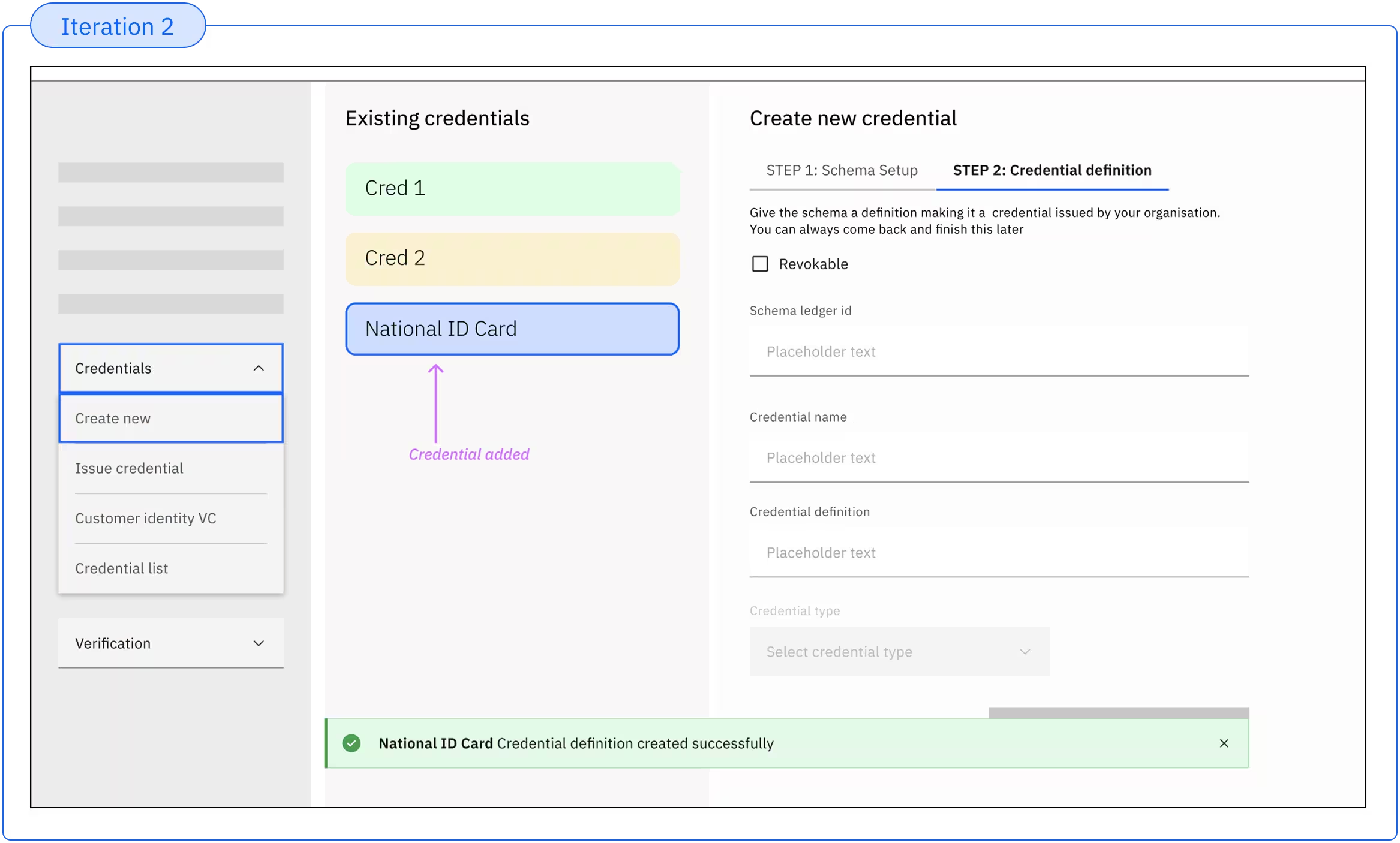
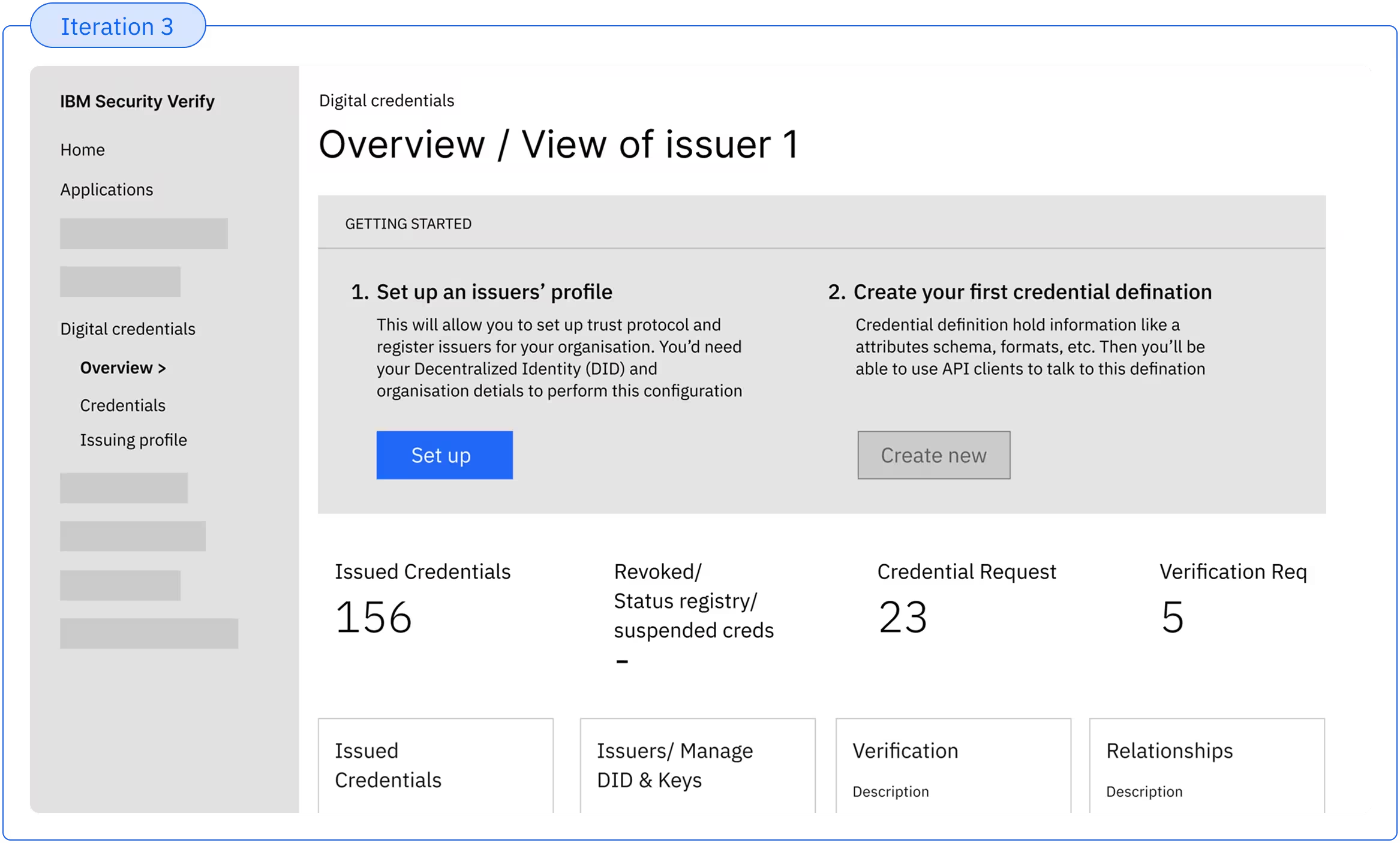
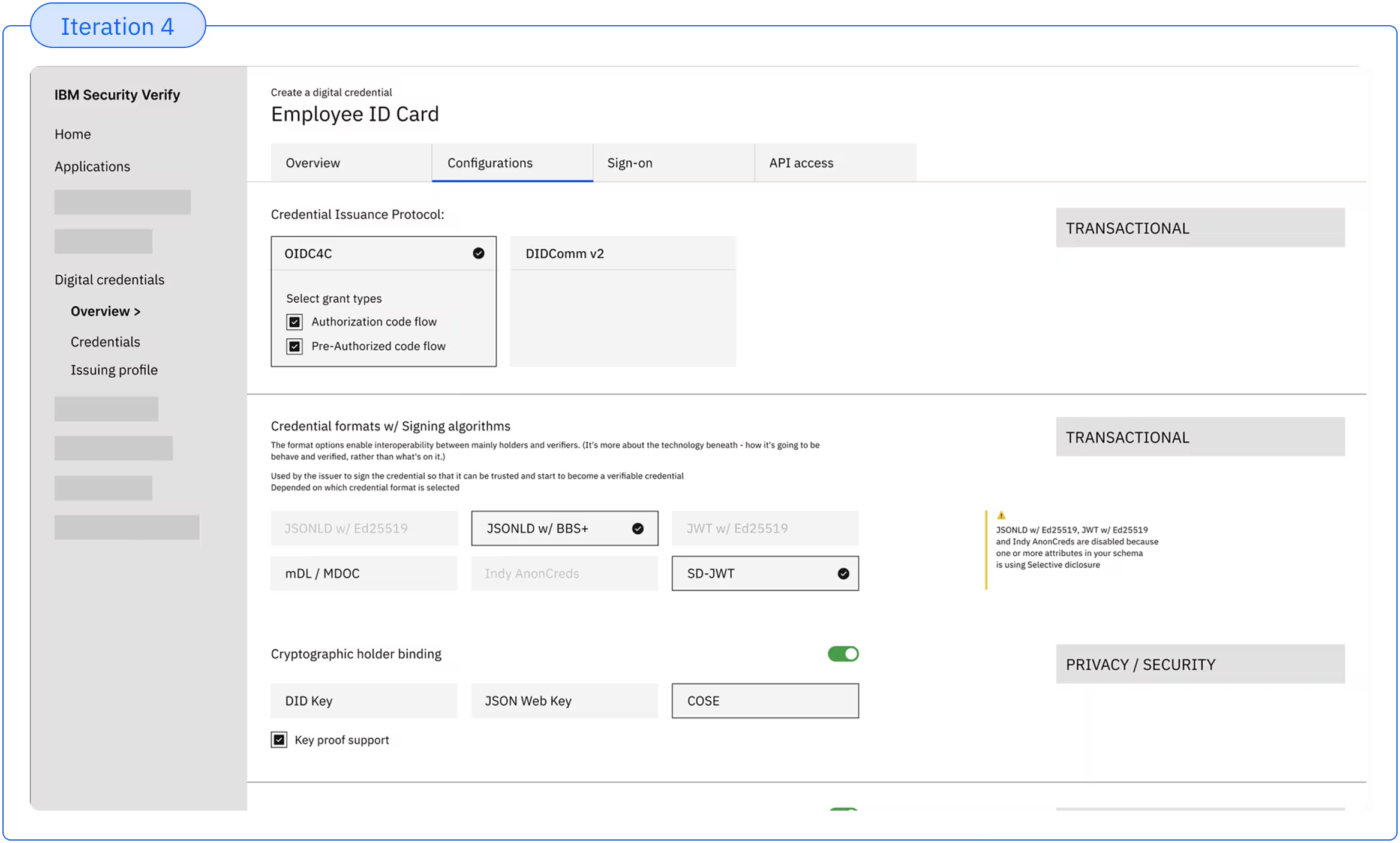
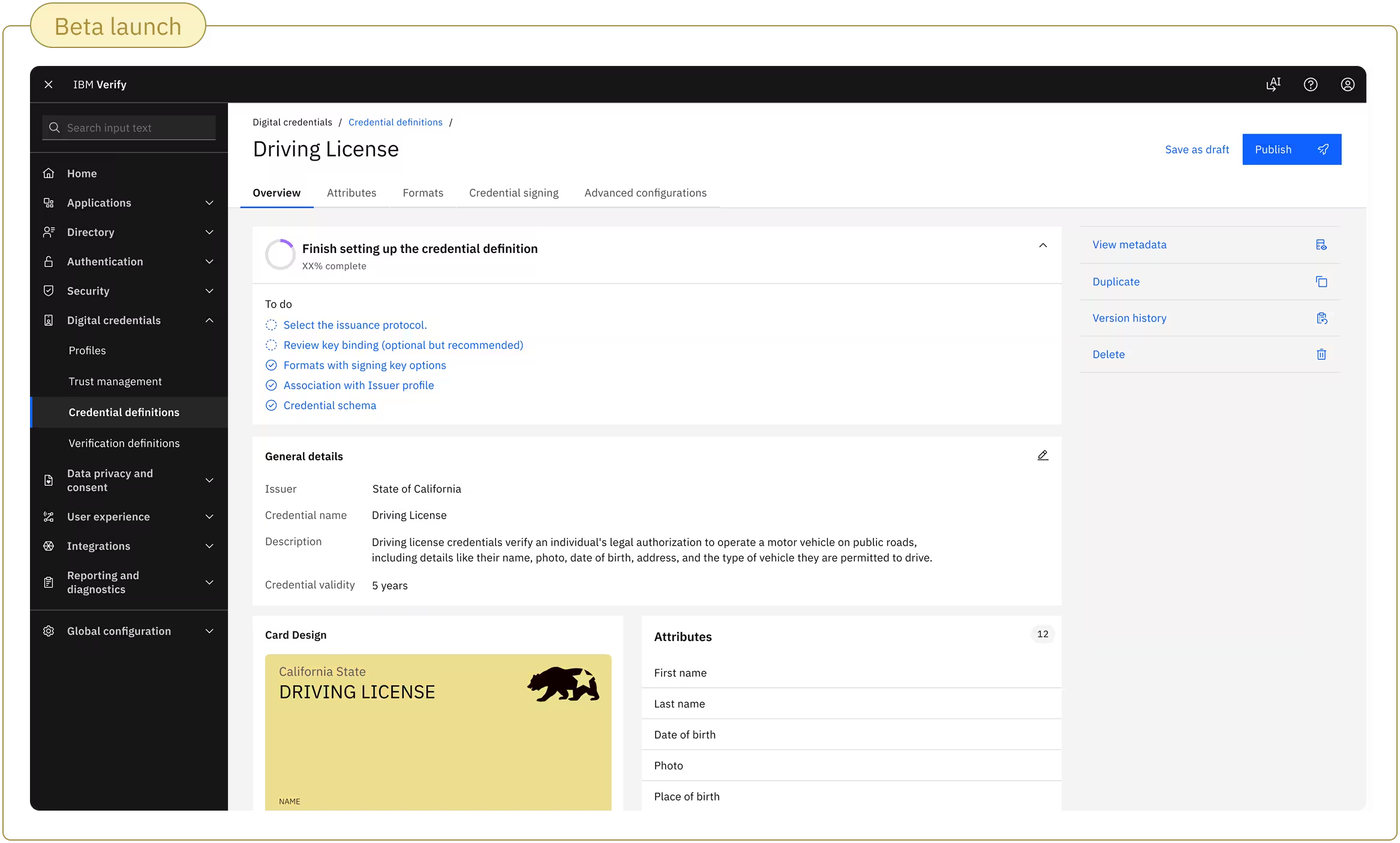
Our users are generalist IAM admins, and not expert in this technology.
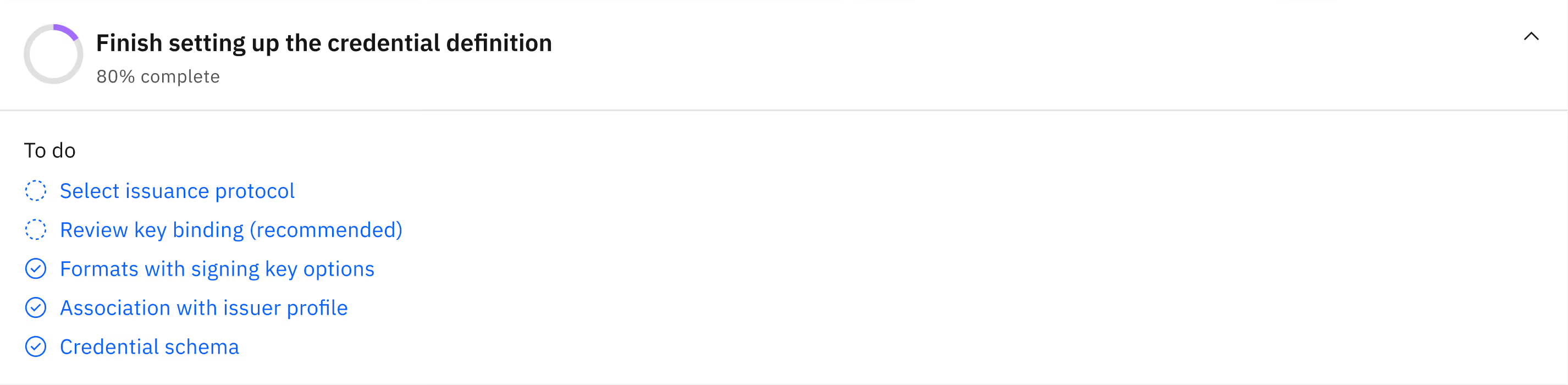
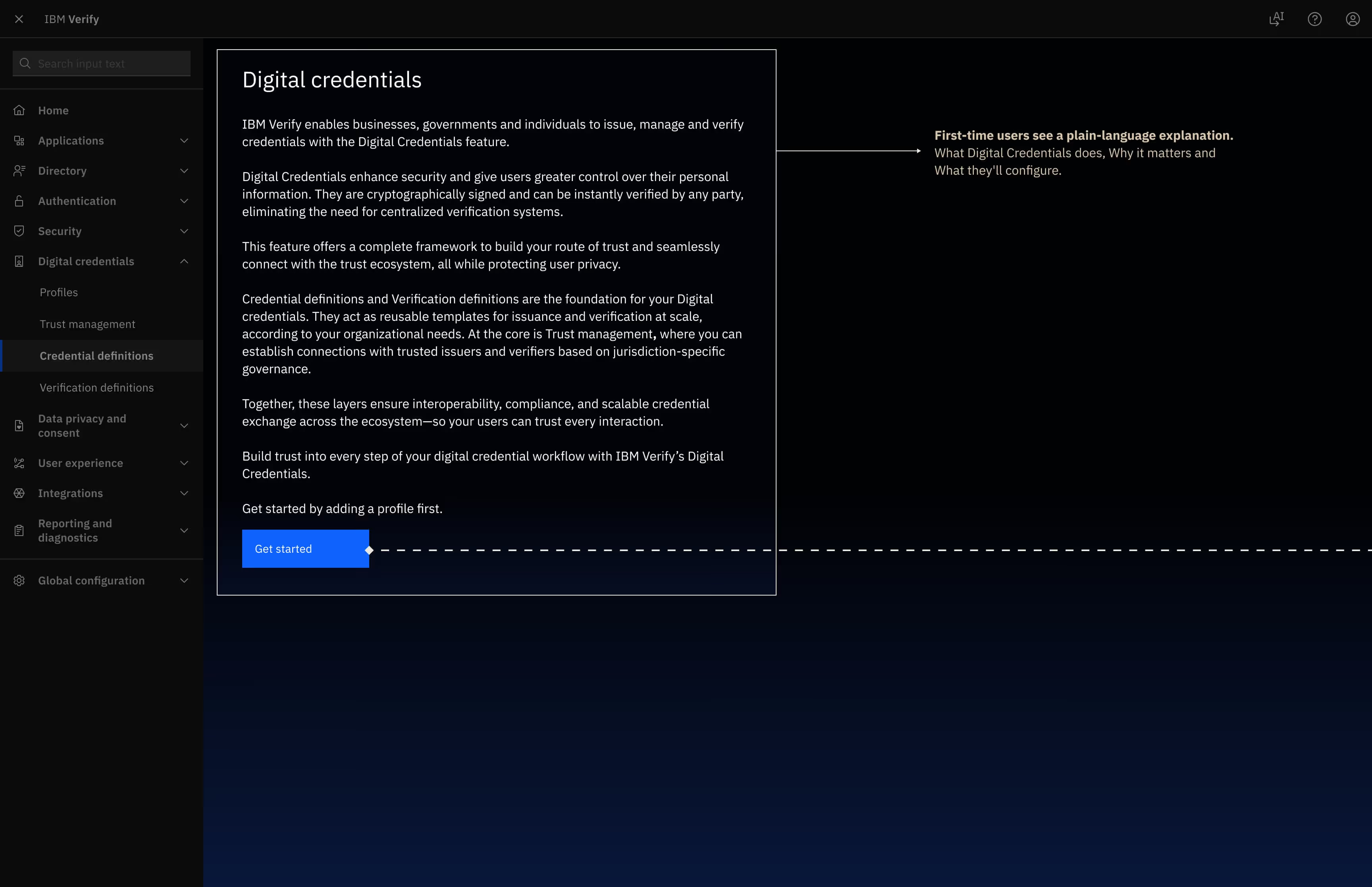
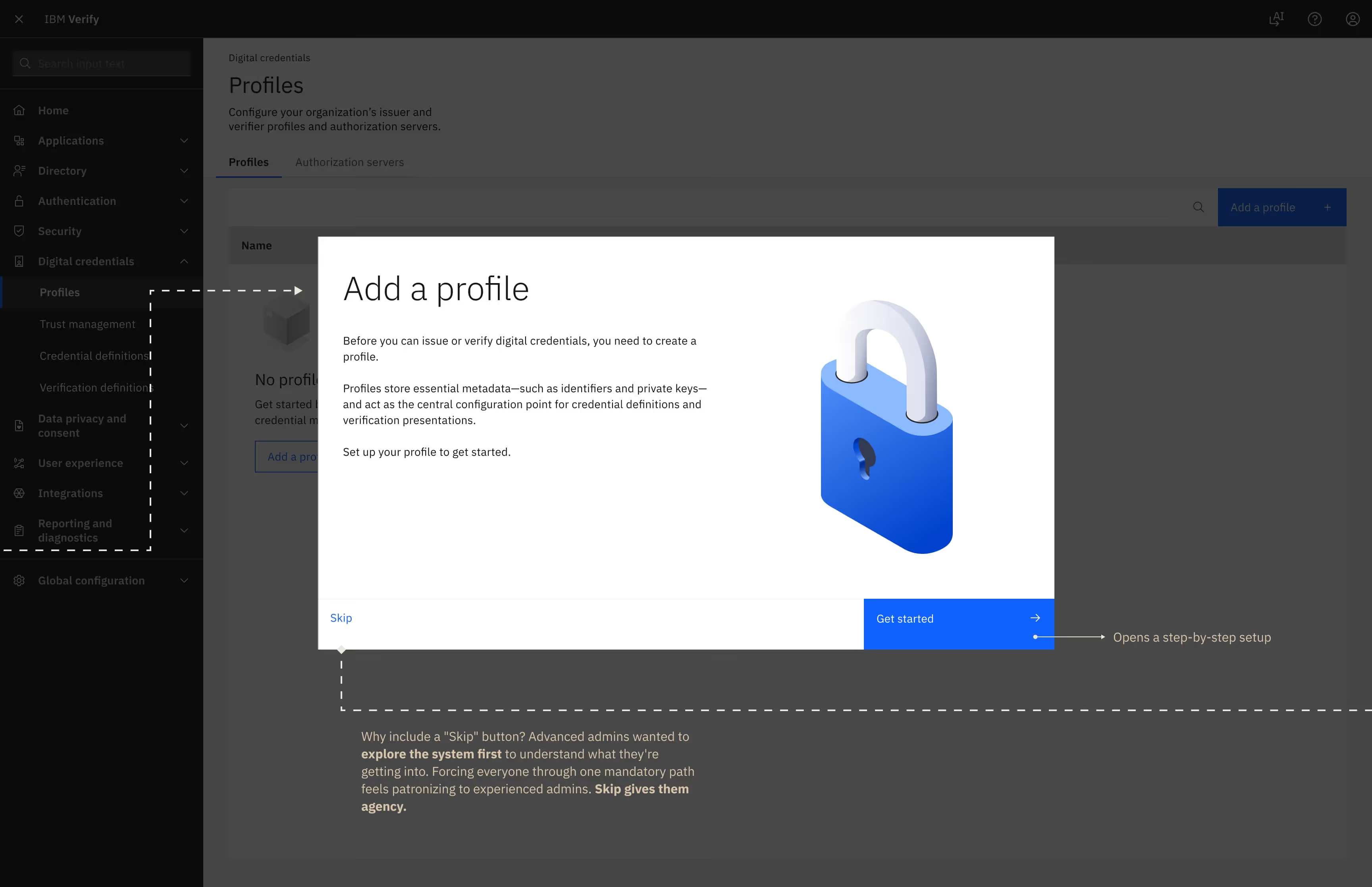
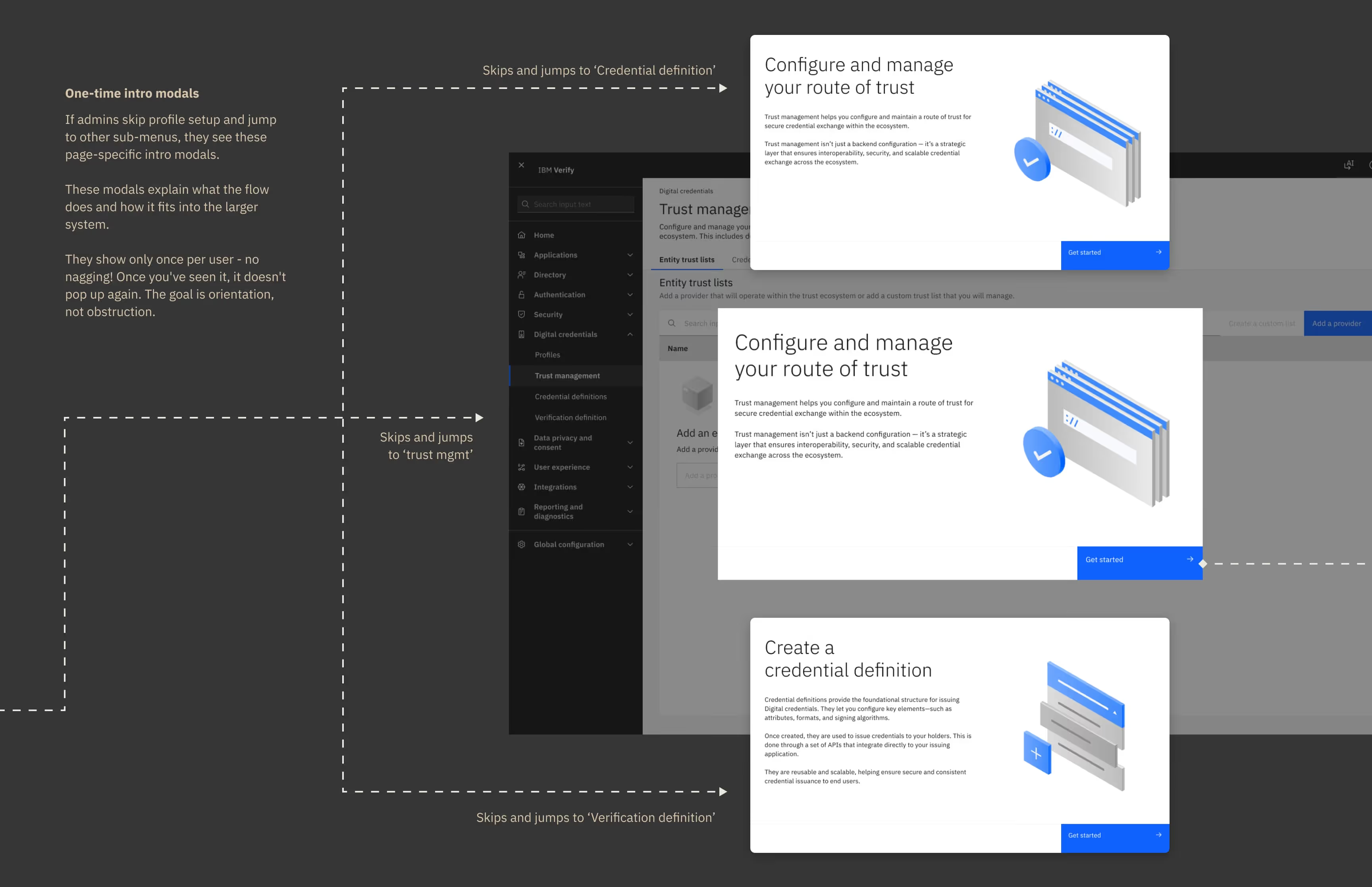
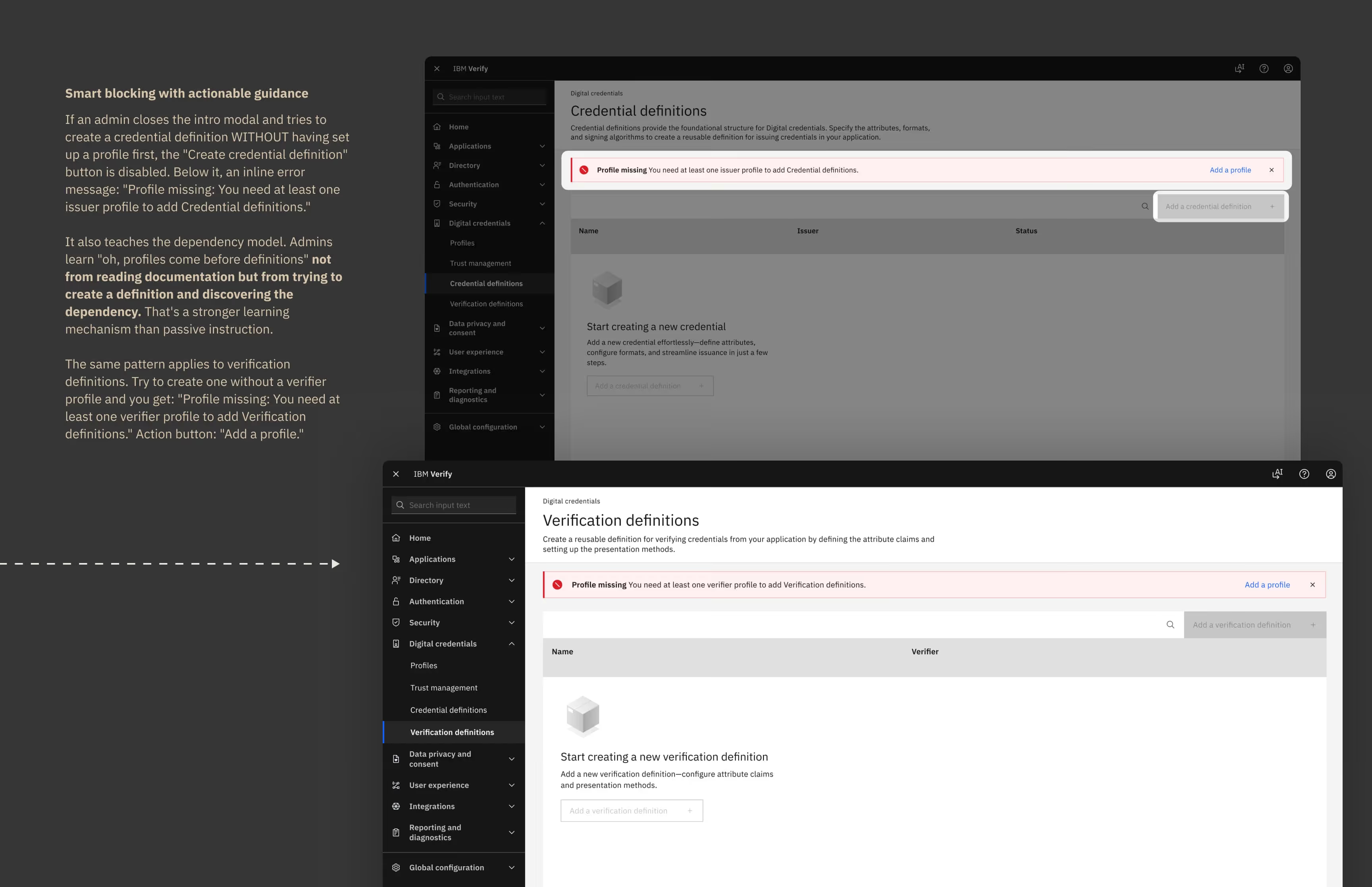
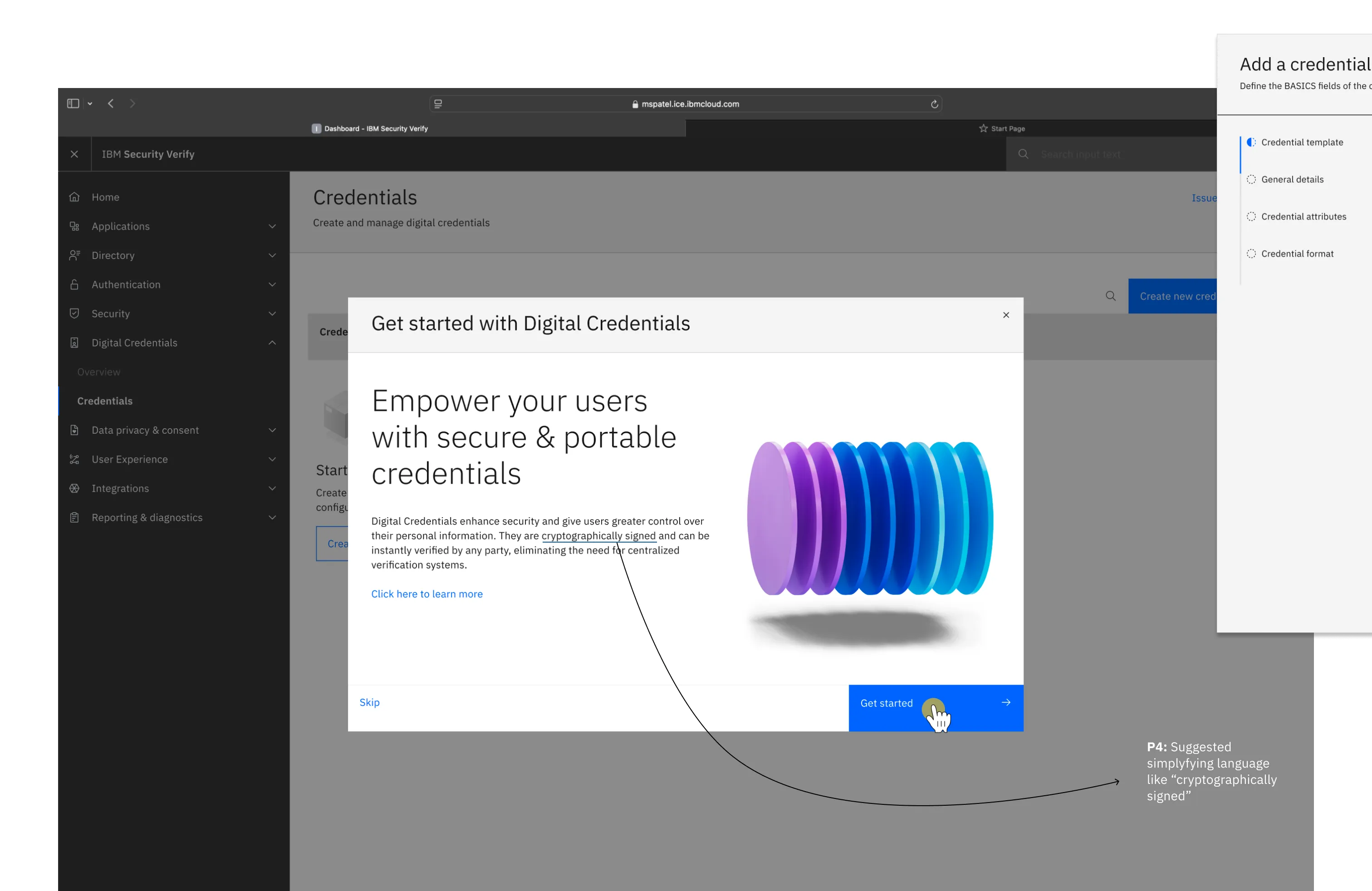
To stop them from hitting dead ends due to complex system dependencies , I designed a progressive onboarding framework that replaced the open sandbox with linear dependency mapping - guiding them to establish foundational settings before unlocking advanced turns and knobs.
I paired this with just-in-time learnability, burying complex technical jargon behind contextual tooltips so users could navigate the system autonomously without feeling overwhelmed.
Profiles store your organization's identity, cryptographic keys, and metadata. You need a profile to issue or verify credentials.
Trust Management establishes trust lists and trusted entities. It defines which organizations you trust to issue credentials. This can exist independently of profiles.
Credential Definitions configure what types of credentials you can issue - like employee badges, driver's licenses, insurance proofs. This requires an issuer profile. Verification Definitions configure what types of credentials you can verify and what claims you expect, what presentation formats you accept. This requires a verifier profile.
"Good to know what each section does before I dive in. The intro modals helped me understand the structure."
- Participant in testing navigated the full onboarding flow without confusion. Onboarding screen to profile setup to credential definition. He understood the dependencies.
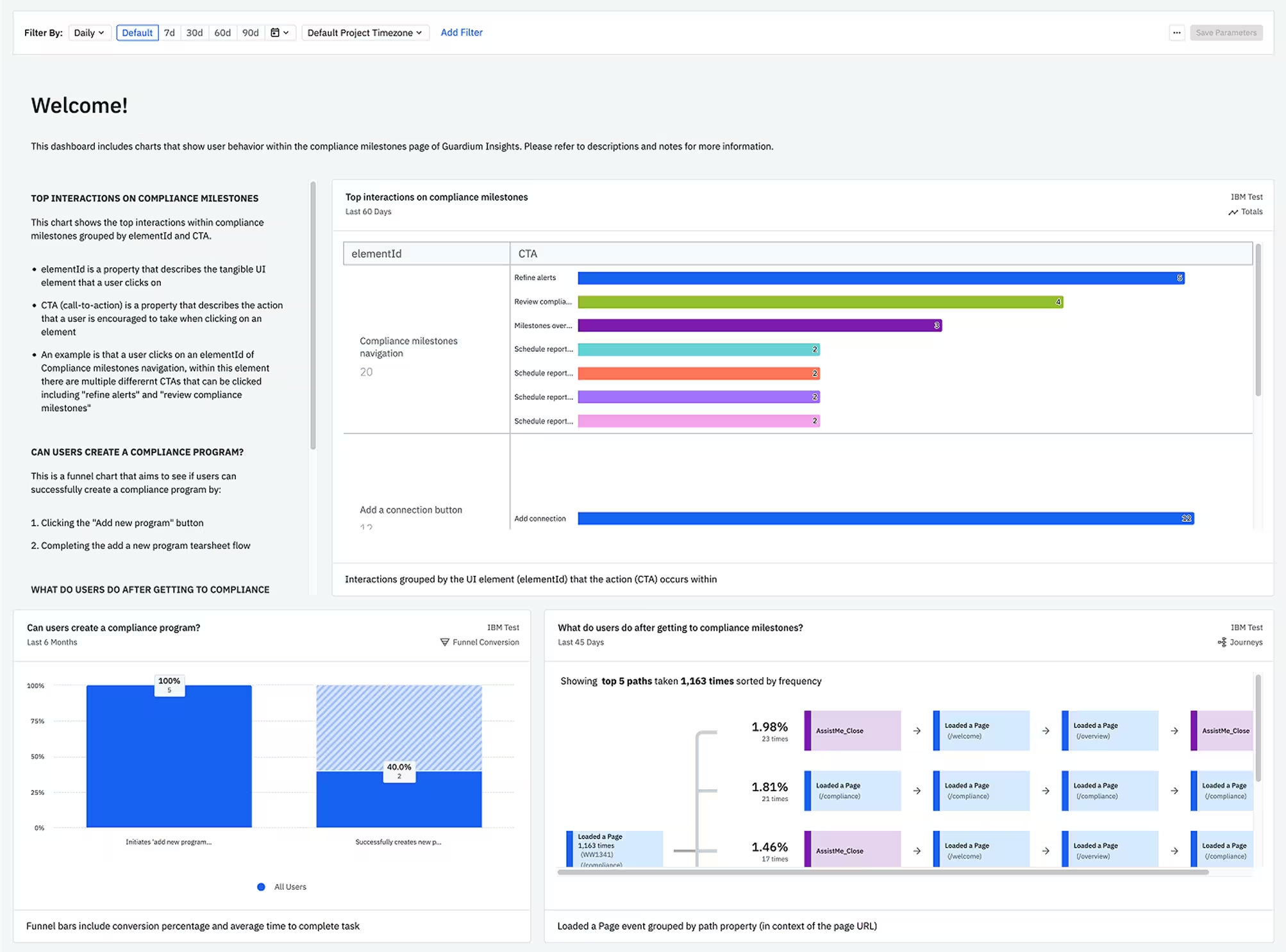
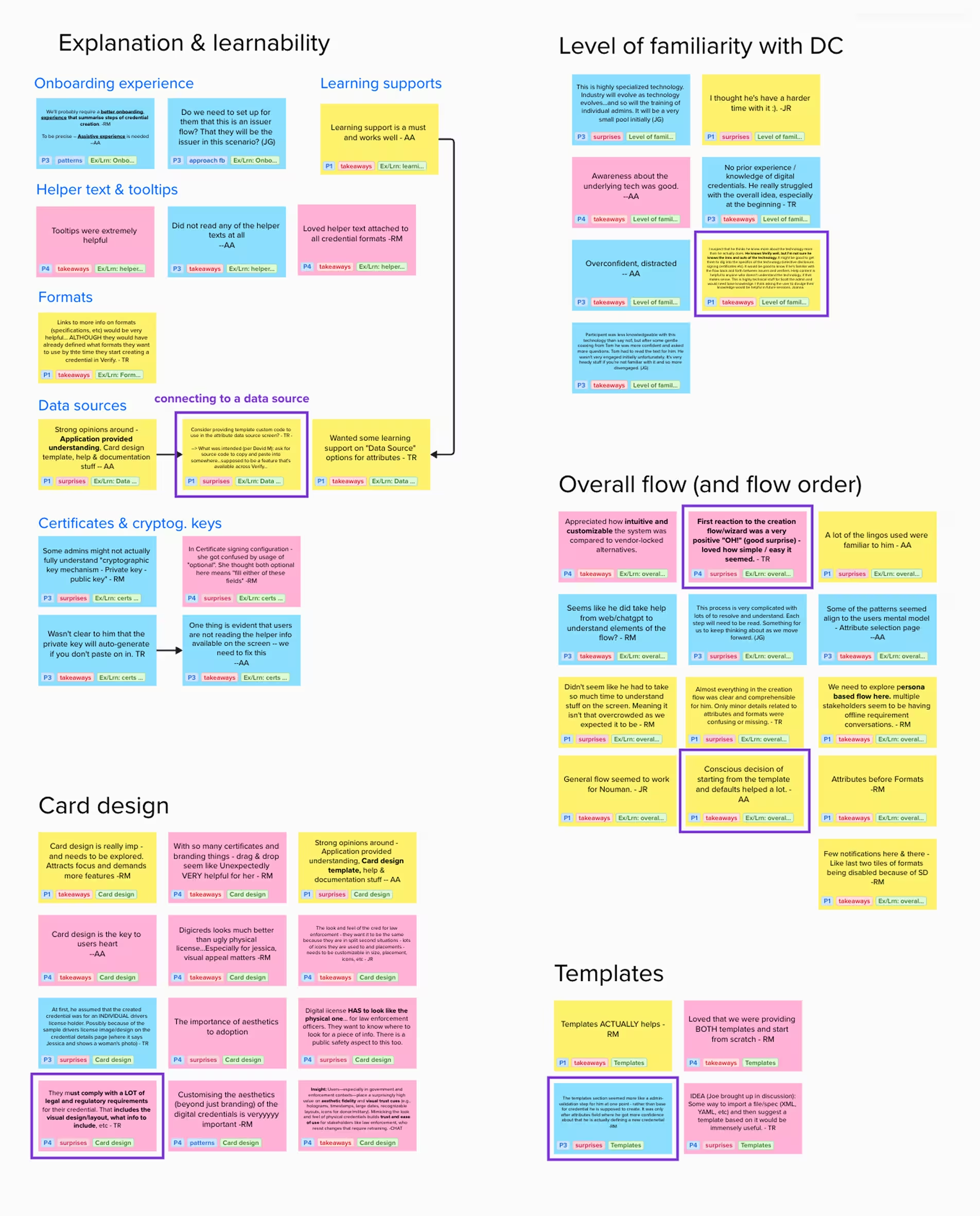
To prepare the platform for General Availability (GA), we needed hard proof of where our mental model succeeded and exactly where the execution cracked under real-world pressure. We paired quantitative user telemetry with heavy qualitative testing to capture the complete picture:
The Data (Quantitative): I collaborated with our data scientists to instrument the entire beta platform with event tracking within Amplitude. This backend telemetry gave us objective data visualiations on the exact fields, steps, and validation gates where enterprise admins hesitated or abandoned the configuration funnel entirely.
The Context (Qualitative): Alongside the analytics, we ran extensive usability testing sessions with early-users and SMEs. Watching them navigate our workflows live allowed us to map the "why" behind the drop-off metrics and uncover the precise moments technical jargon caused cognitive friction.
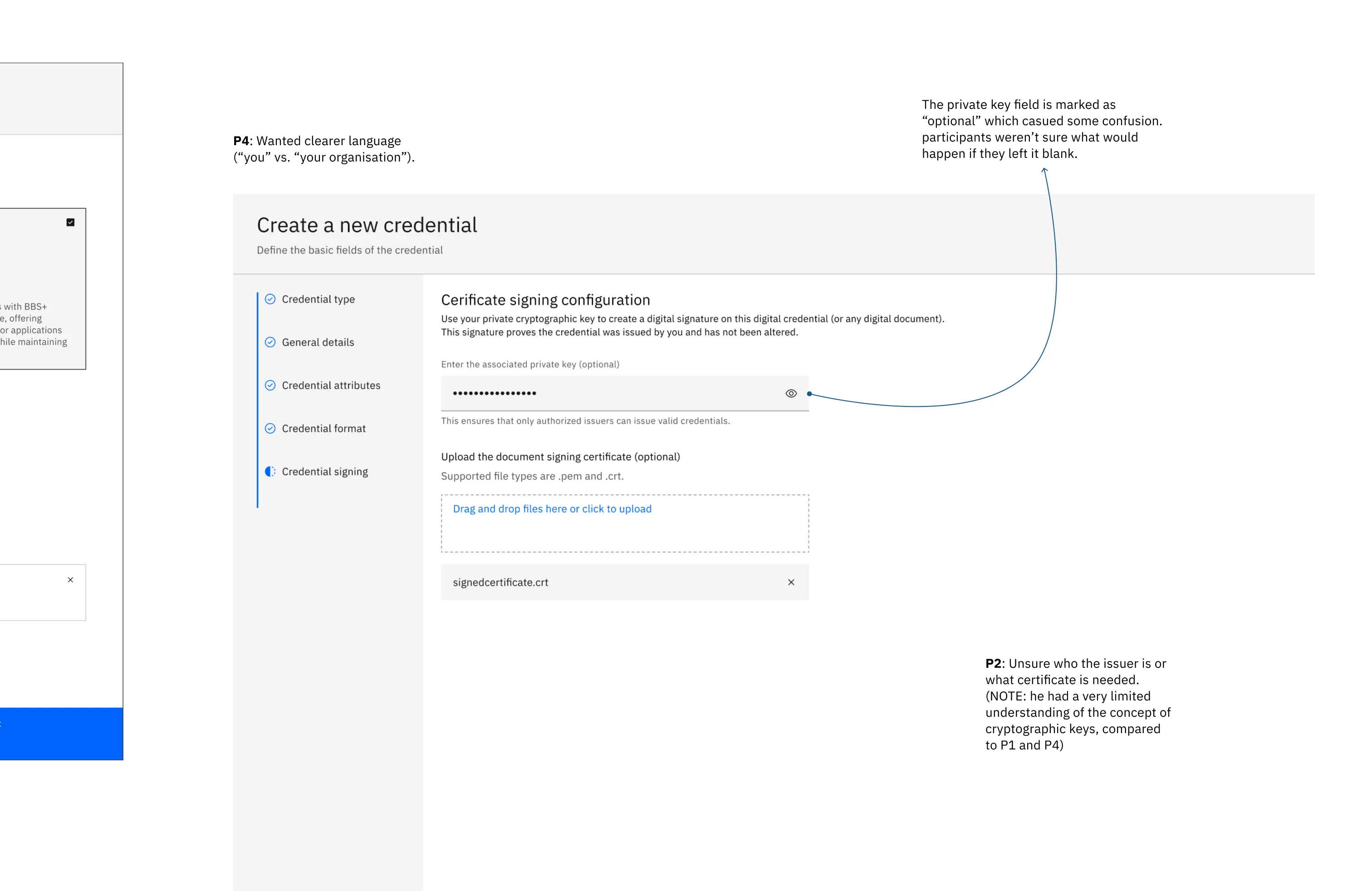

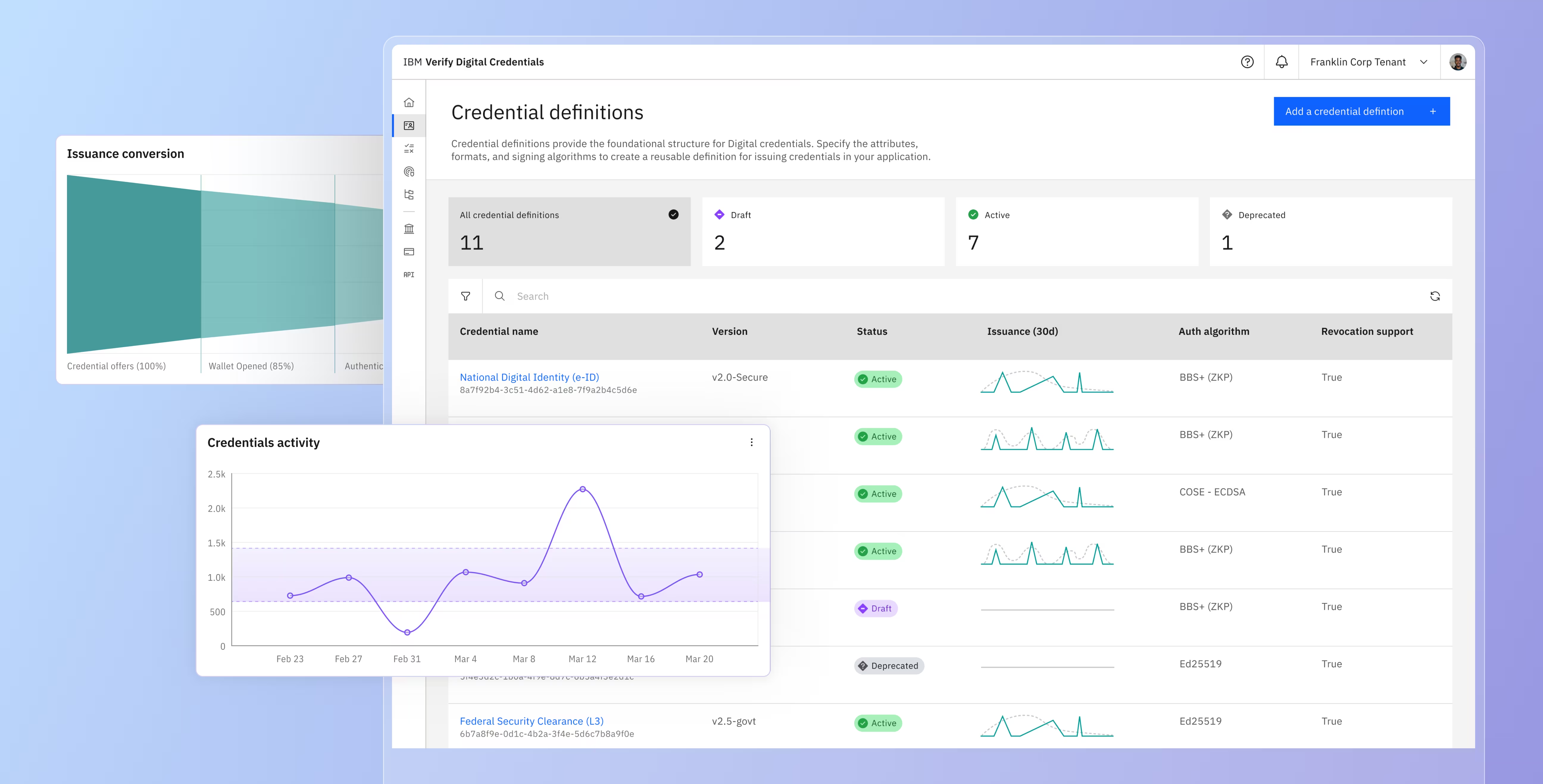
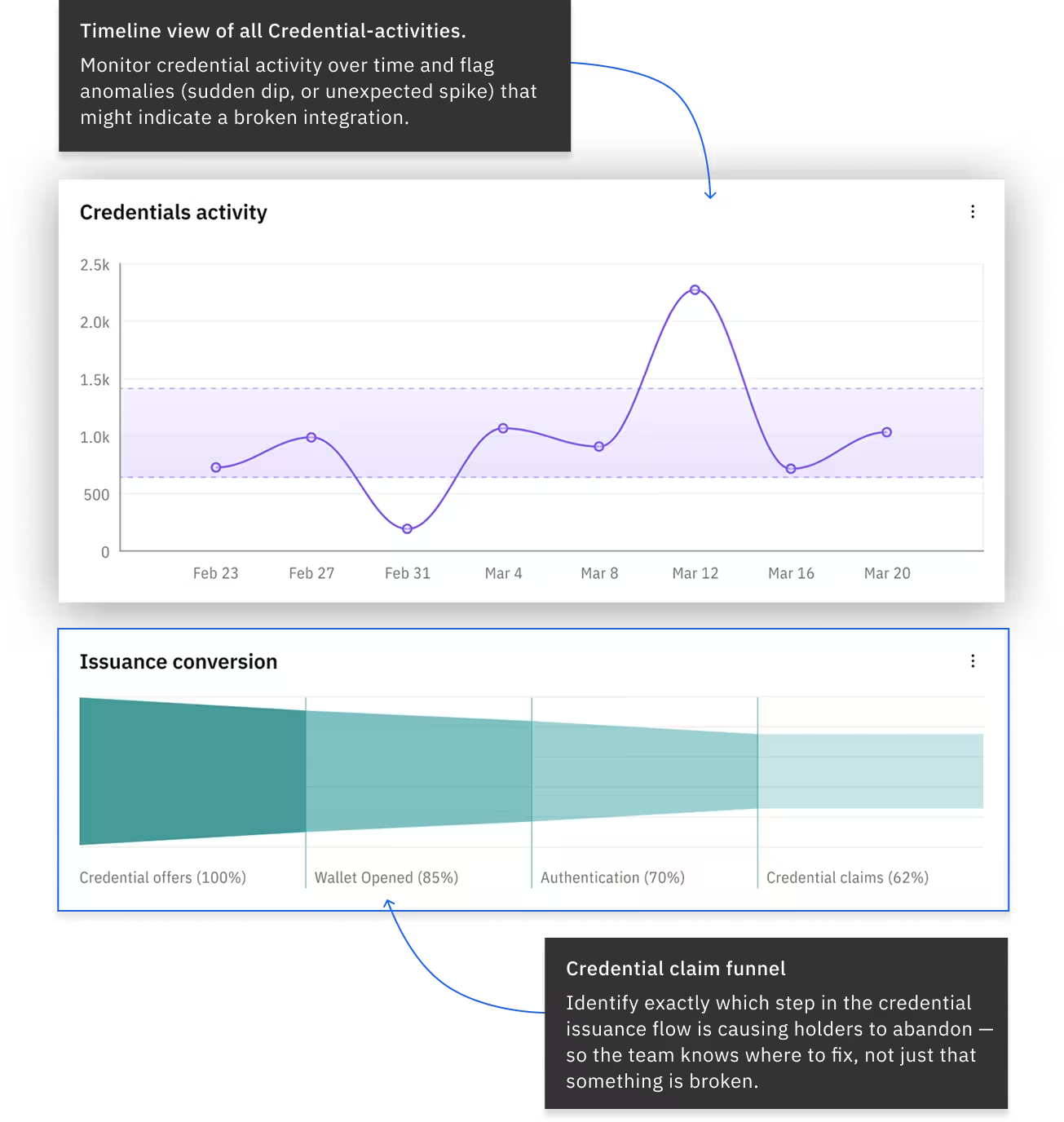
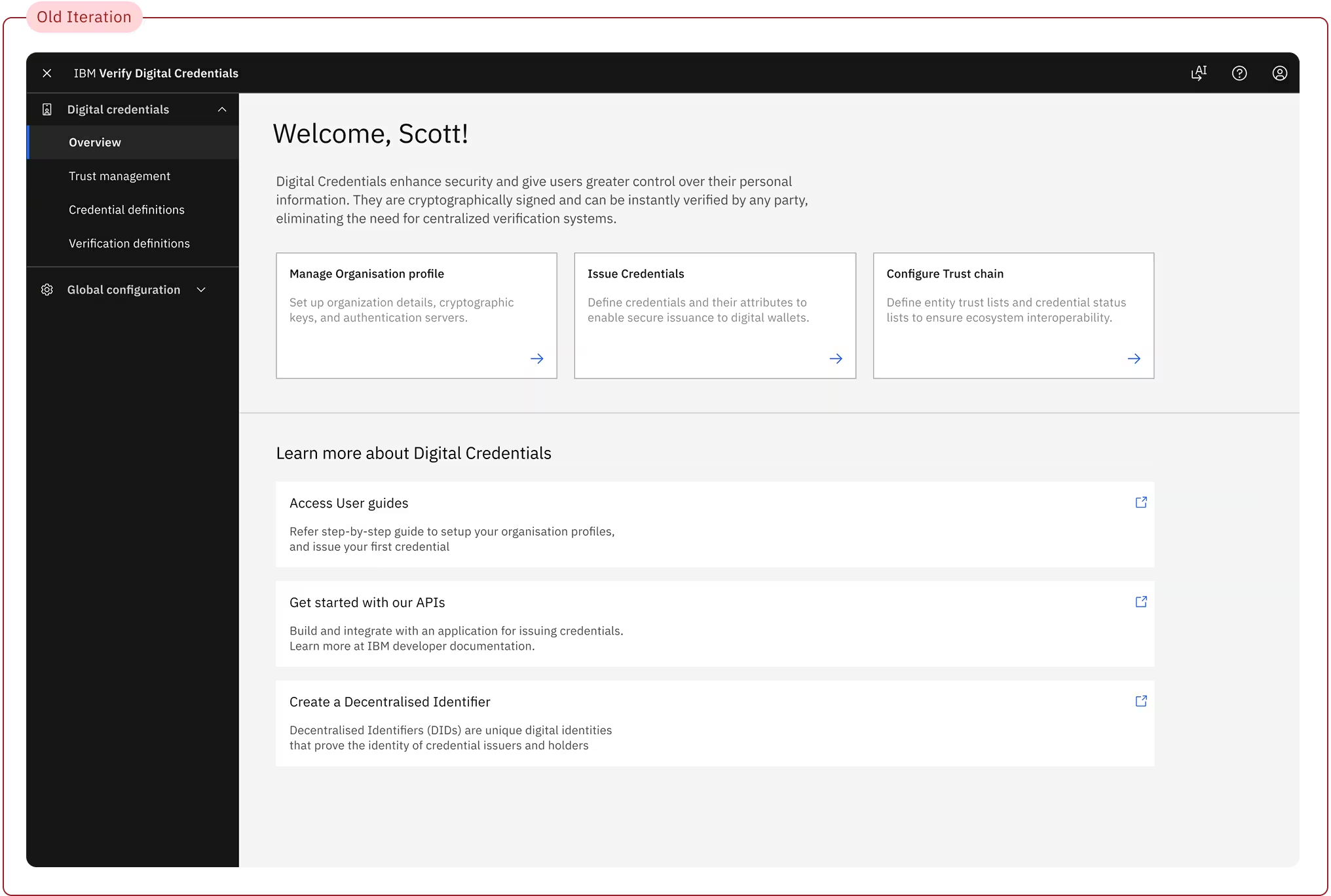
The original dashboard was designed primarily as an onboarding checklist. While it worked for Day 1, by Day 30 it became a total data dead-end that couldn't scale with live data.
This structural gap caused a major surge in support tickets from users who felt "something was wrong" but lacked the diagnostic data to self-serve a resolution. Worse, it left teams with zero operational visibility - offering no live telemetry, activity signals, or integration health tracking to confirm if issued credentials were successfully reaching holders.
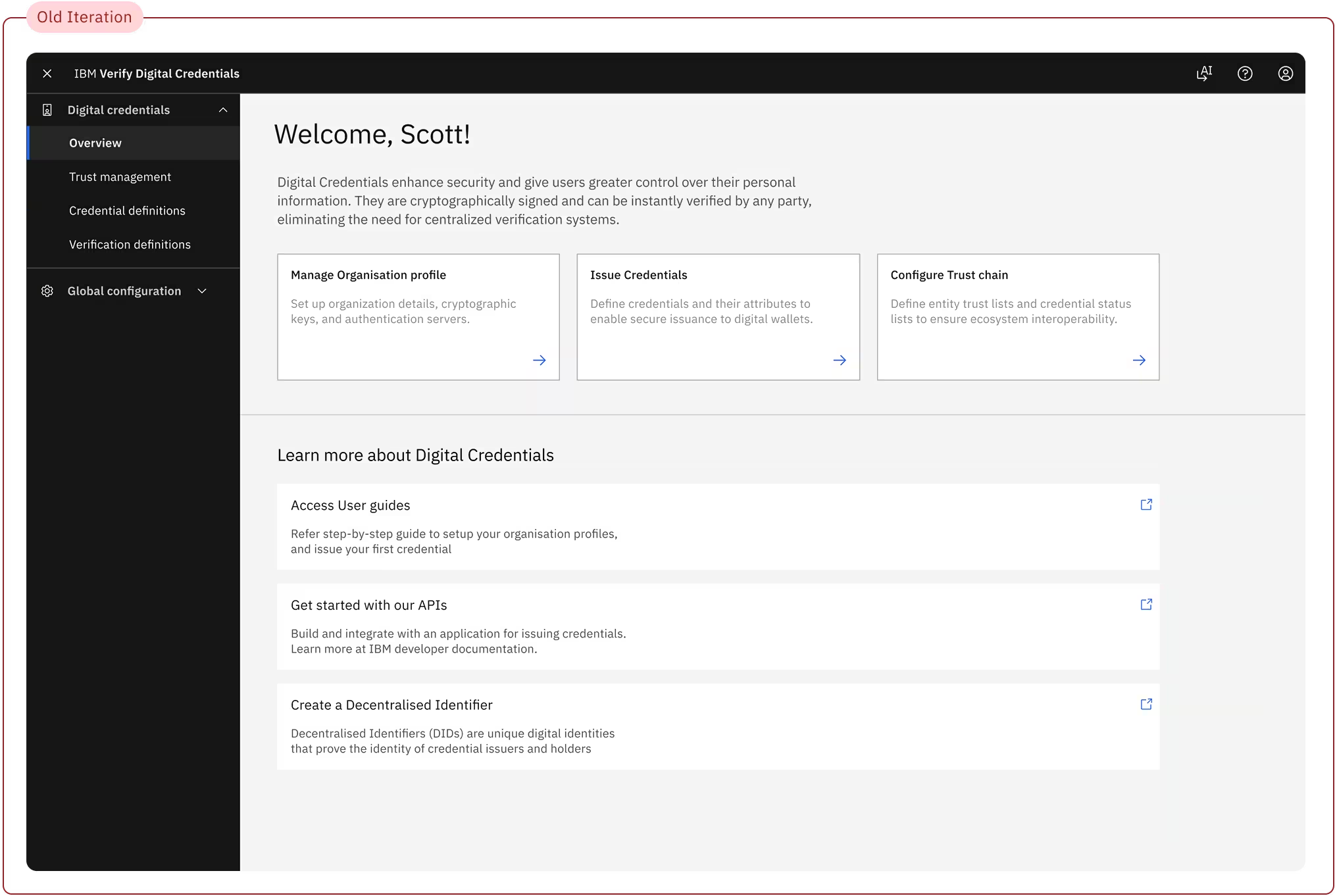
Solution: For the General Availability (GA) release, we completely transformed the dashboard from a static onboarding dead-end into a live, centralized operational cockpit. Every element on this new landing page was intentionally designed around the real-world behavioral patterns we unmasked during testing
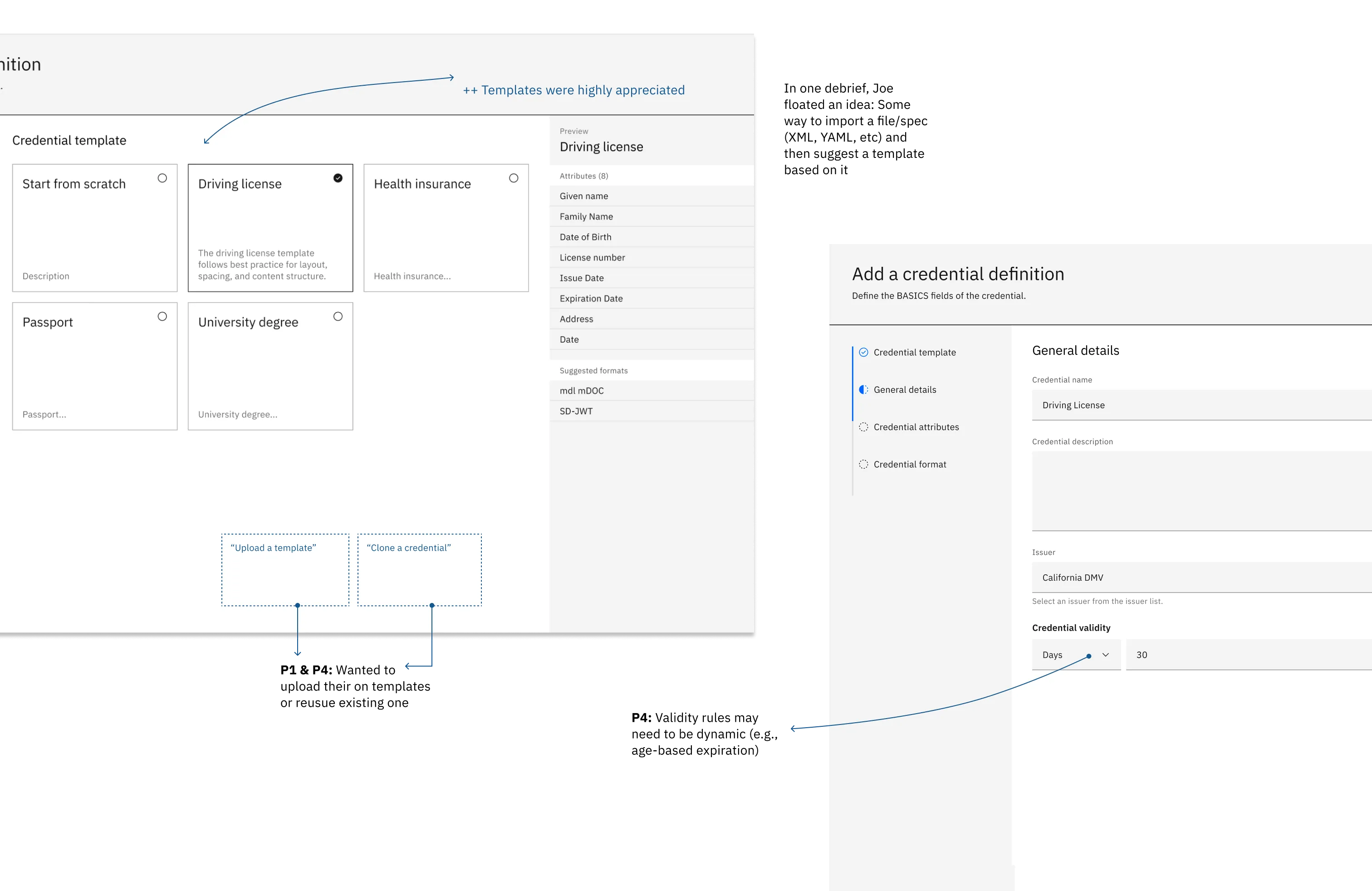
Challenge: Adding attributes on-the-go during credential setup - failed for large enterprise workflows. It prevented them from establishing master “schemas” once and letting separate operations teams scale them across departments, creating immense operational redundancy.
Solution:Introduced a dedicated area in the platform, where organisations can independently define and manage master schemas. And Added a layer in credential creation flow, where users can efficiently browse and use those master templates to populate their credential definitions.
of the use cases at launch, with the addition of OOTB templates
Reduction in baseline configuration time, allowing administrators to instantly visualize, test, and interact with complete data models safely before investing hours bringing their real data
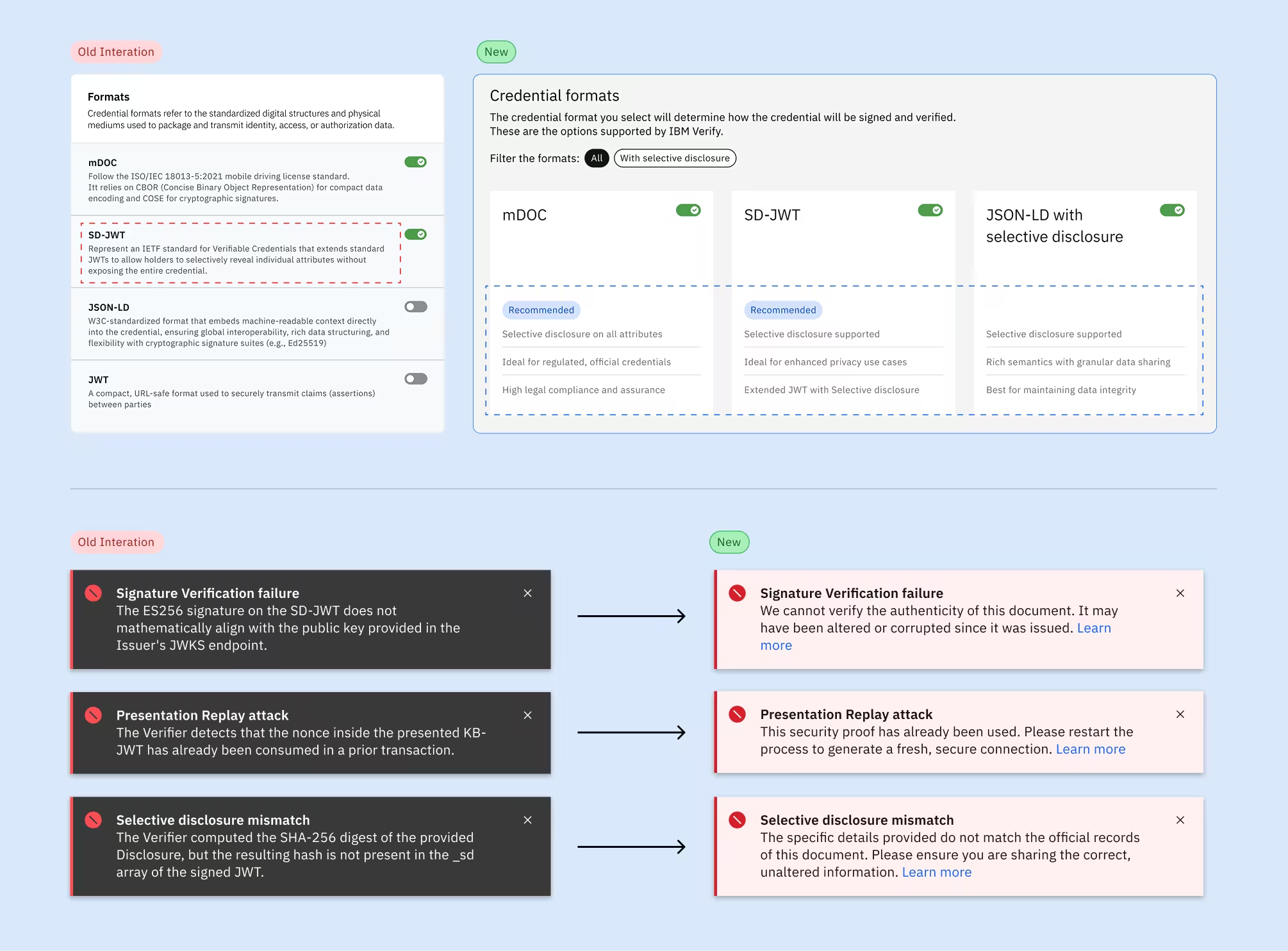
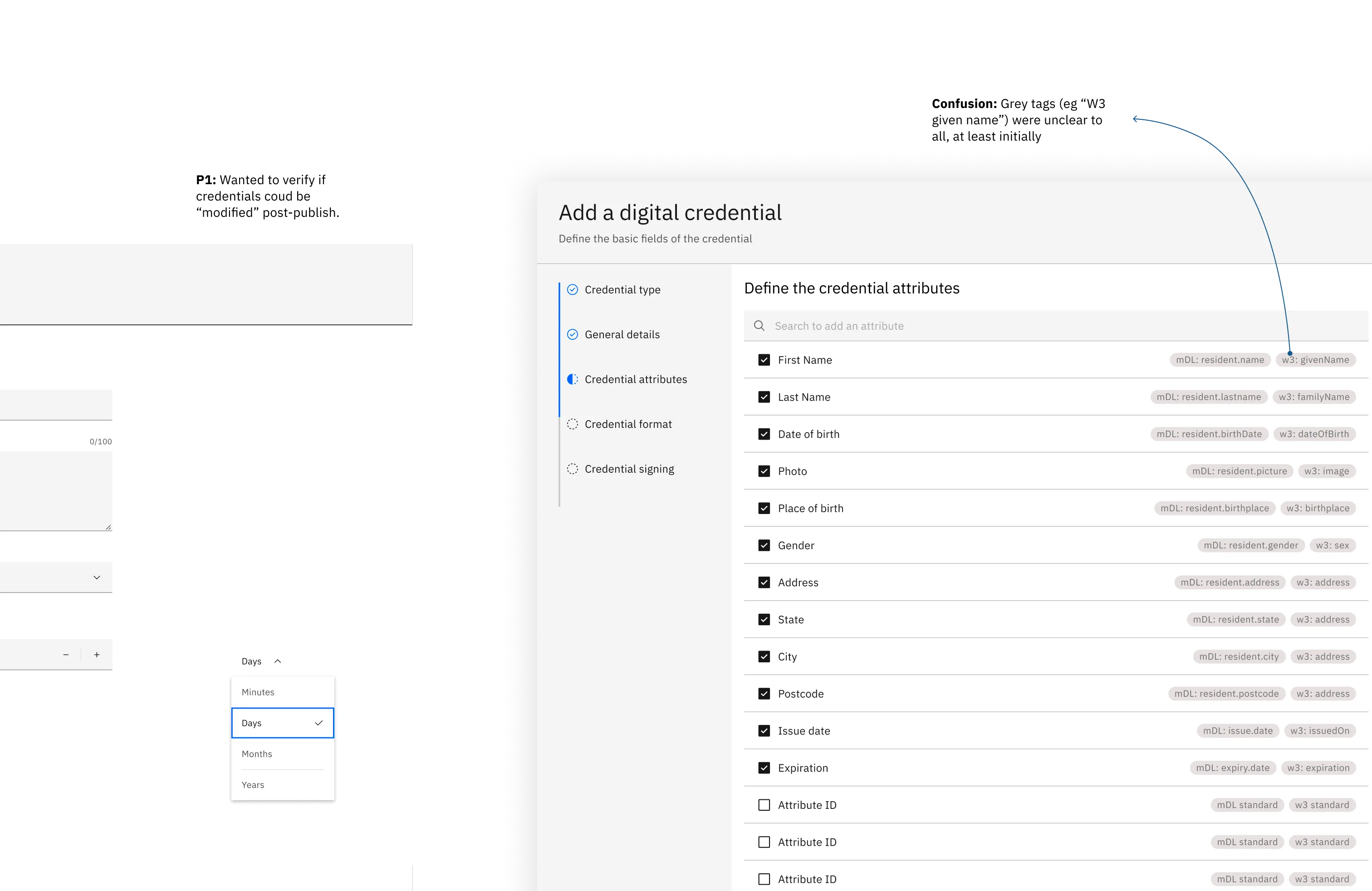
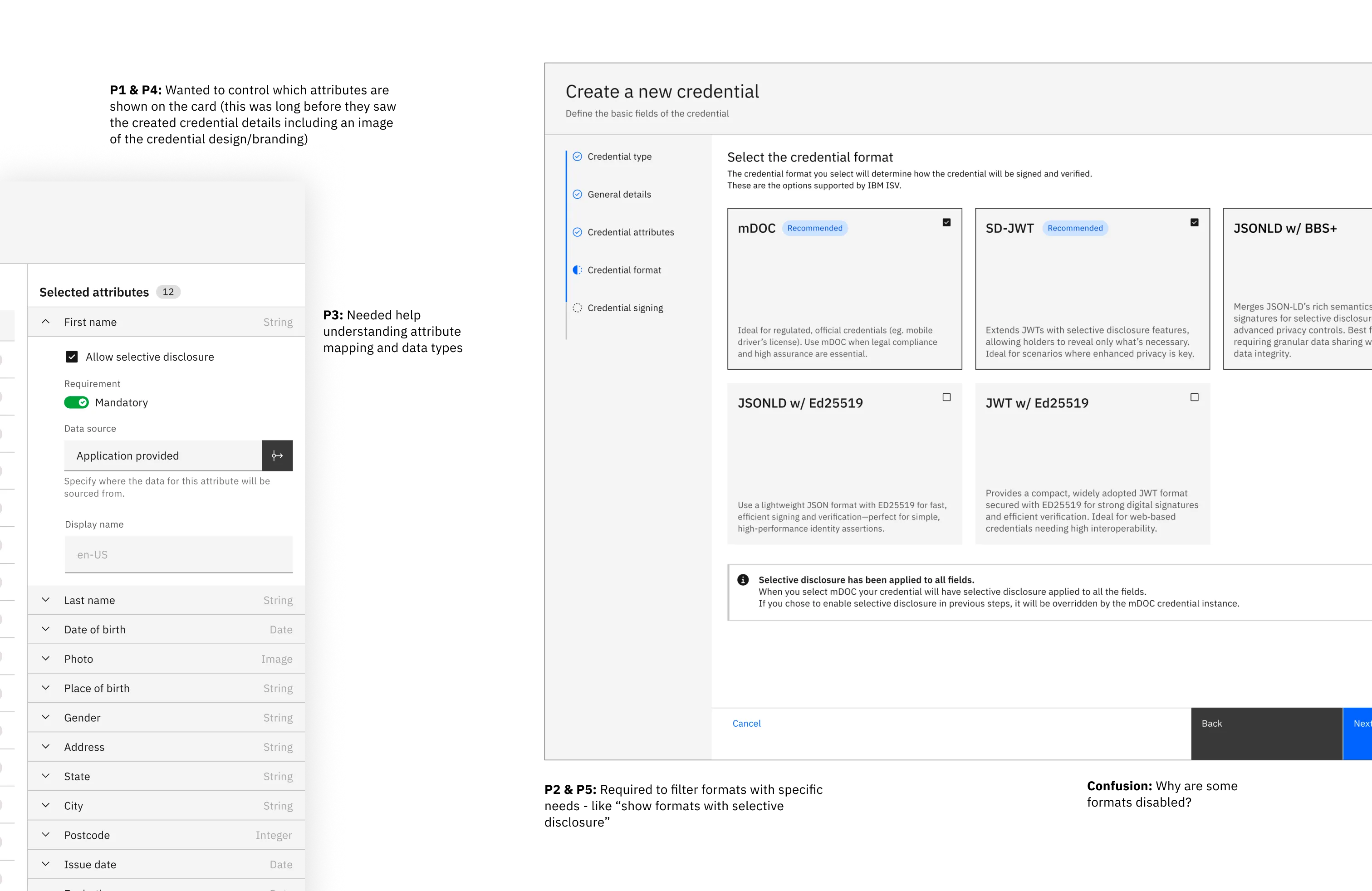
Challenge: Our user base consists of generalist administrators rather than technical experts. Consequently, they struggled to navigate the platform due to highly technical terminology - leading to high cognitive fatigue, frequent task abandonment, and critical configuration errors that impact system reliability.
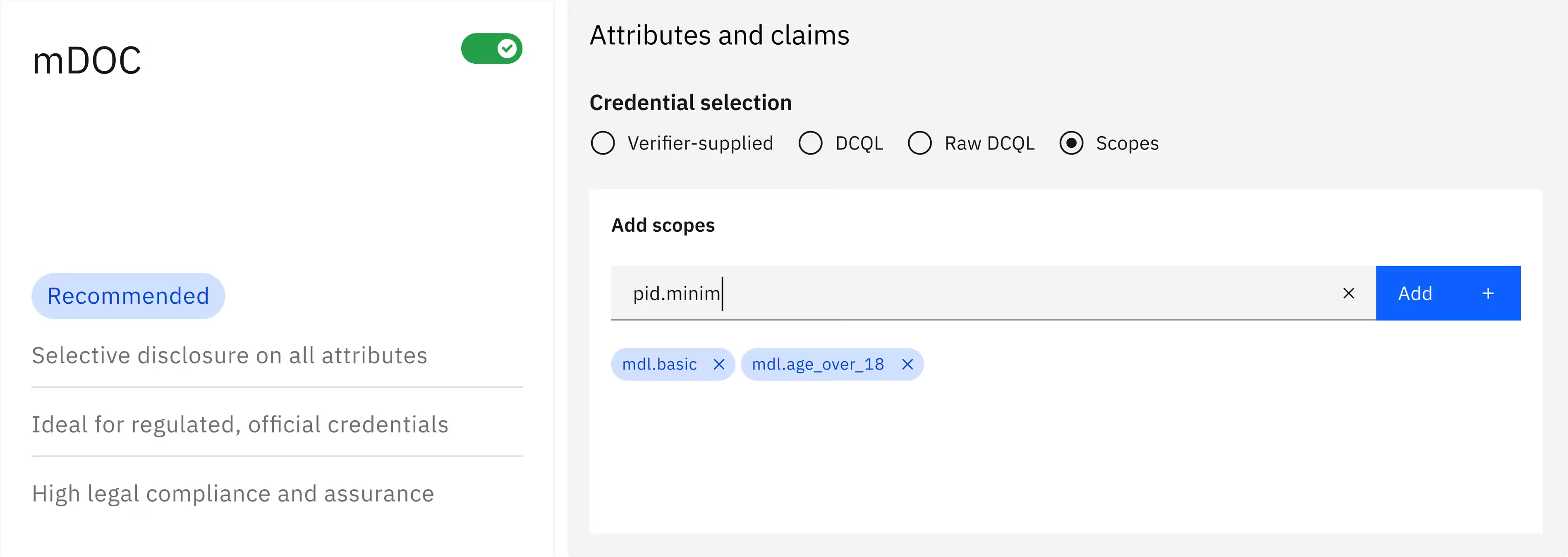
Approach: We audited high-friction configuration screens and replaced technical descriptions with assistive microcopy. Then, we added inline, value-driven copy to explain the “why” behind each action - helping users understand the trade-offs of their choices in real-time.
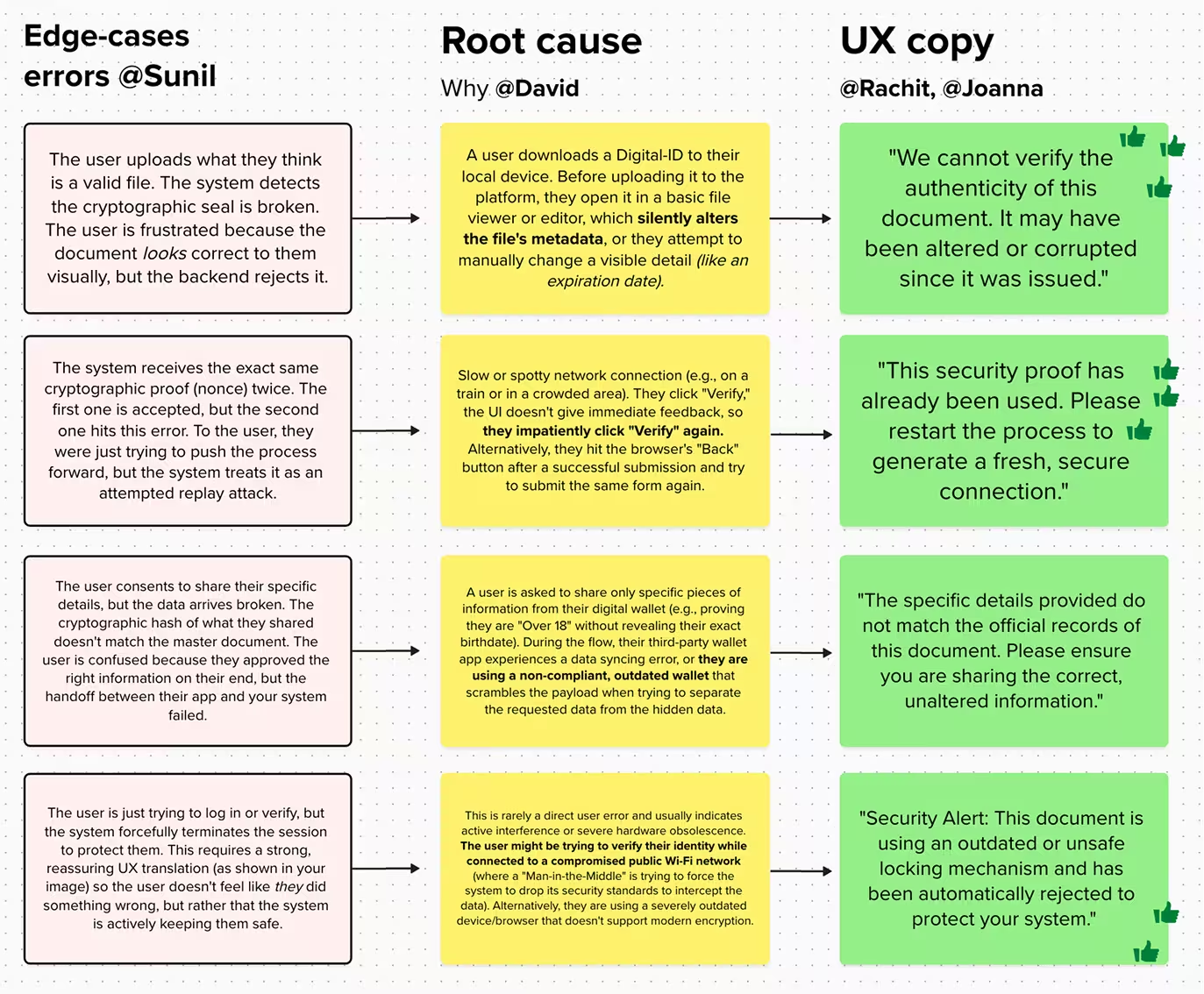
Lowered the learning curve: Especially non-technical administrators intuitively understand the real-world utility of each setting on the first try.
Knowledge Retention: Users were successfully able to retain context across complex, multi-step flows, significantly reducing task abandonment and configuration errors.