I know how to parachute into chaos and create order. I can diagnose what's broken, adapt processes to fit reality, and ship quality work under tight deadlines.
That's how we rescued Unified Adapter Studio, with the beta release only few weeks away!
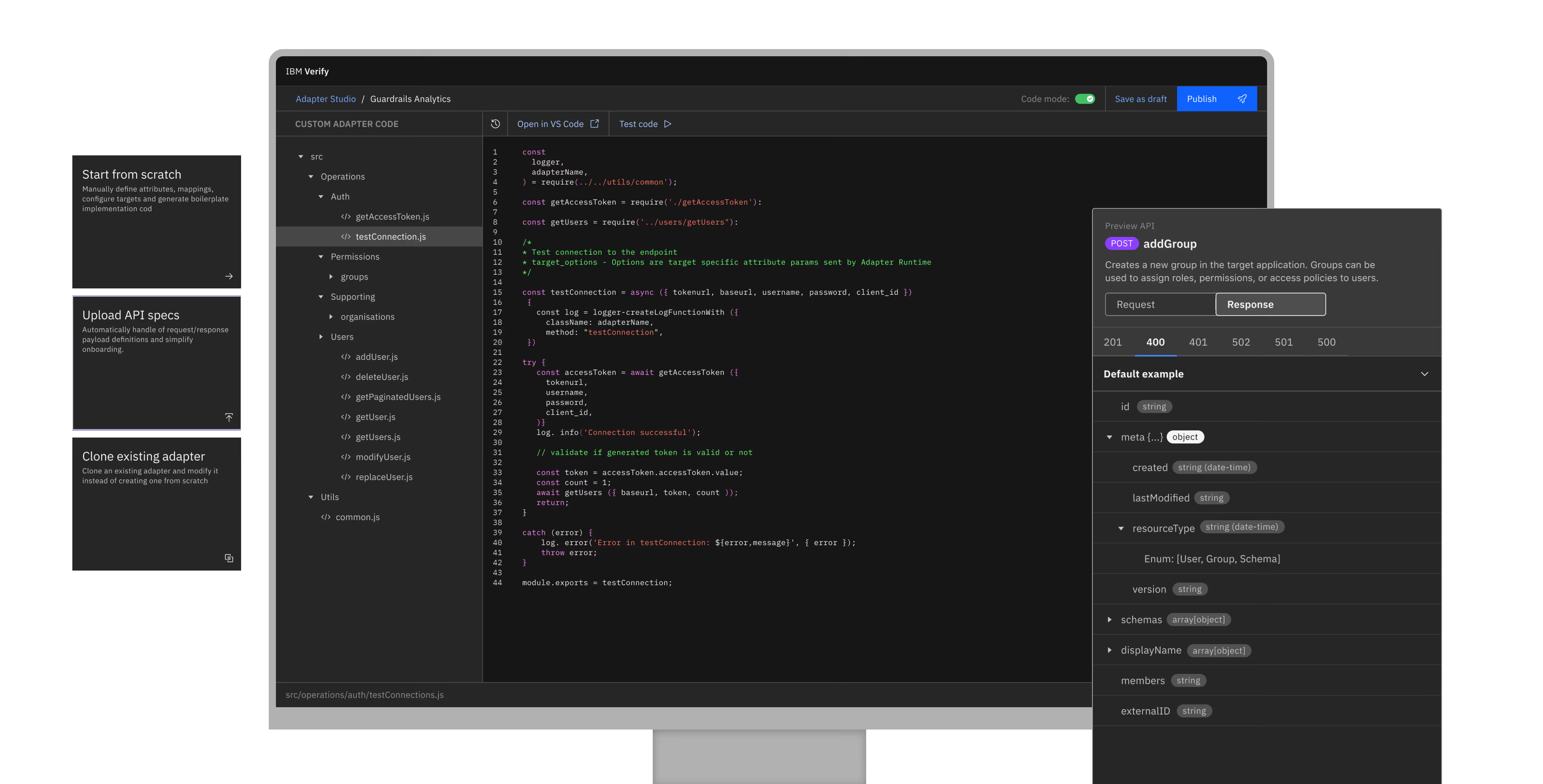
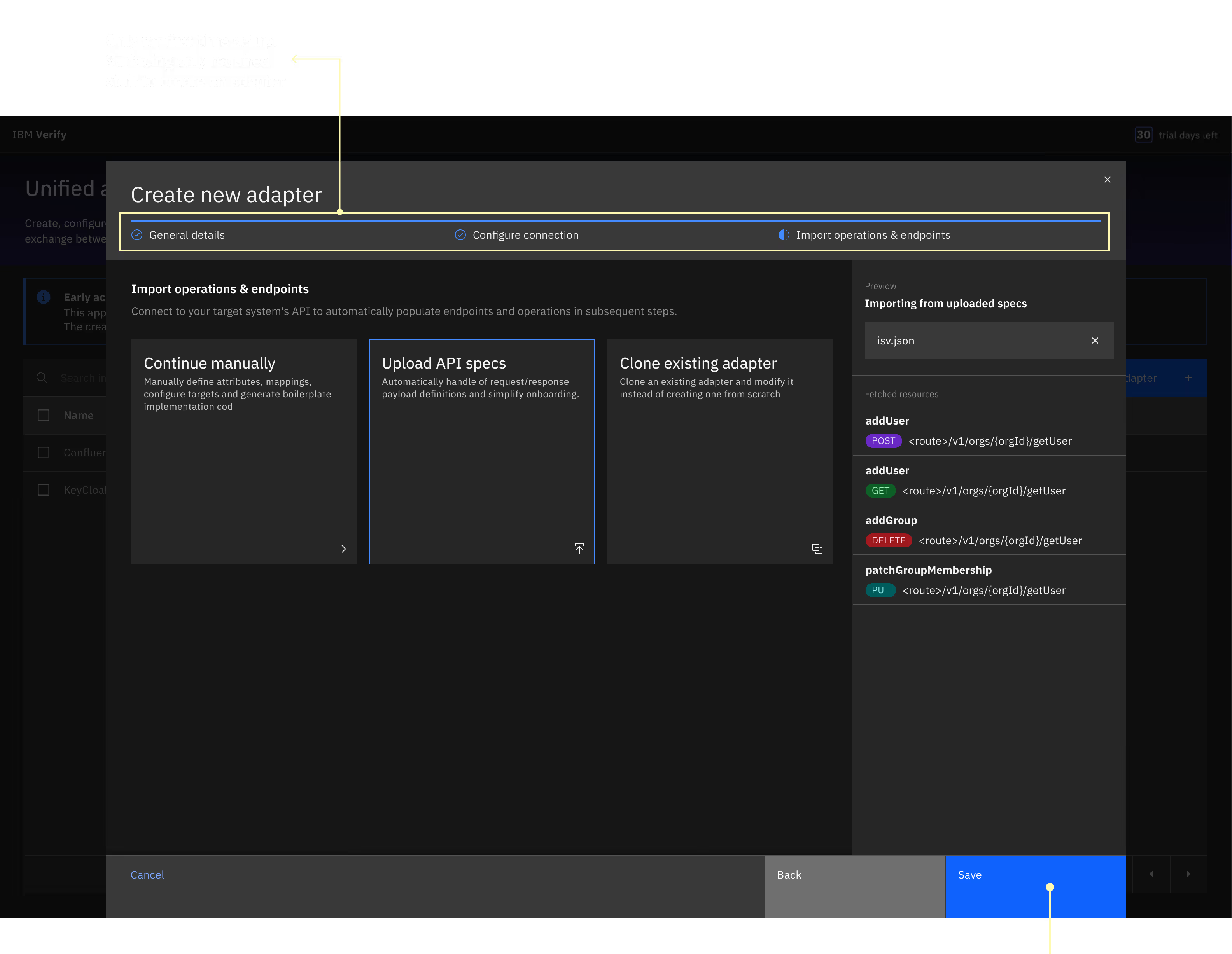
IBM Verify wanted to make a DIY tool where admins could build their own adapters, enabling secure connectivity with any external application the platform didn't support out of the box. Historically, that would have required consulting a specialist consultant, 6 to 8 weeks, and a significant services contract.
I joined while the Early Access Program was already live! 20+ orgs across 5 countries were testing the product in real environments and sending back structured feedback weekly.
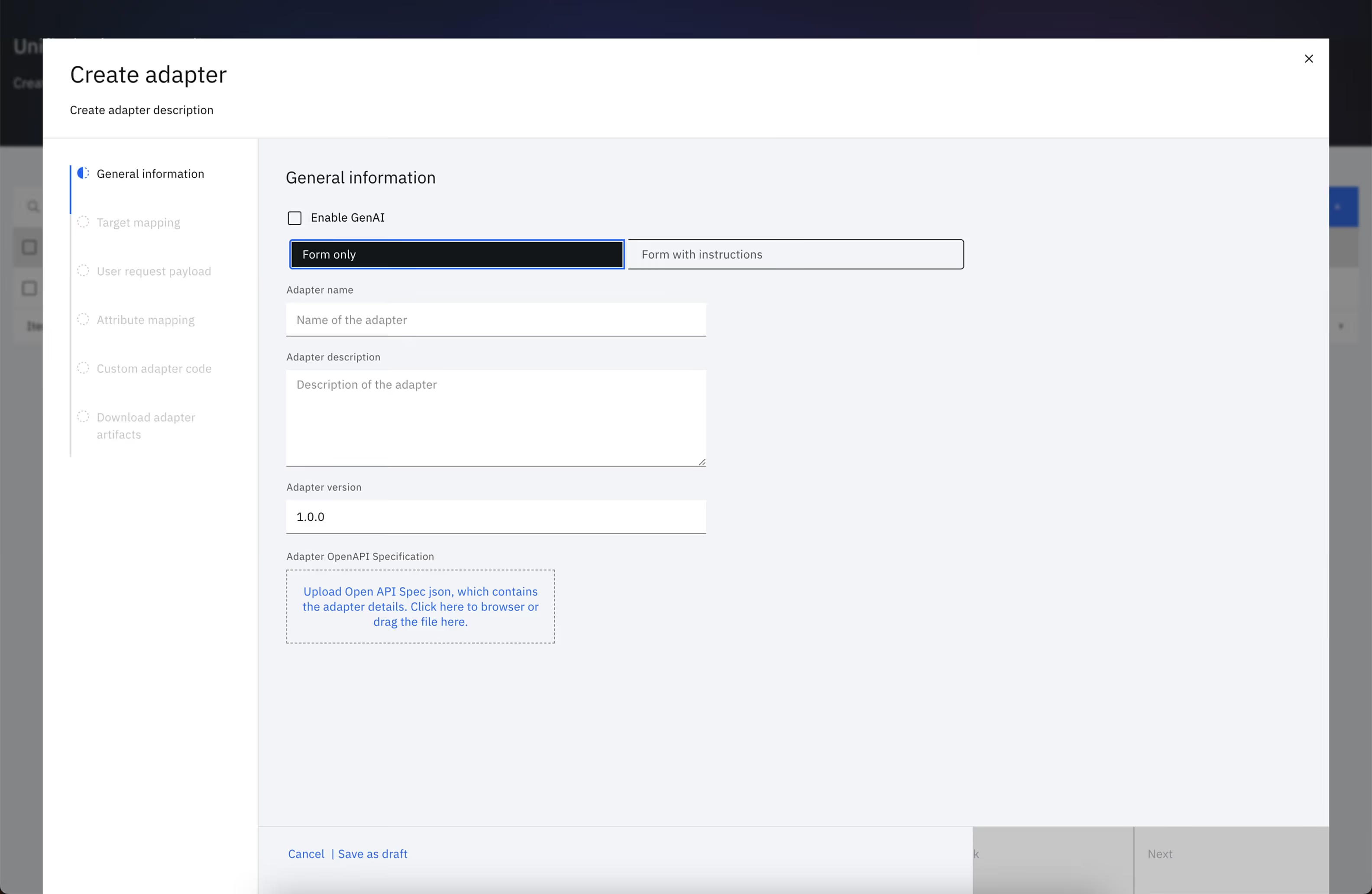
Before touching a single screen, I ran a systematic evaluation alongside the EAP feedback and realised it has got all the right capabilities - but hadn't been designed as an experience yet! Fields without context. Instructions nobody read. Steps where participants simply couldn't move forward without help.
So I paused production, partnered with engineering leadership, and redesigned a cohesive experience that met the beta timeline without requiring significant backend changes. My goal was to bring design maturity to this feature which was already in users' hands, and lay the groundwork for the GenAI-assisted creation experience coming in the next phase.Most design work happens before launch. Mine happened during it.
ROLES / RESPONSIBILITIES:
- Rachit Mathur (me, UX Designer)
- Michelle Chen (Researcher)
- Karan Shukra (Design Lead)
- Anuj More, Saniya Shaikh, Nikhil Patil (Devs)
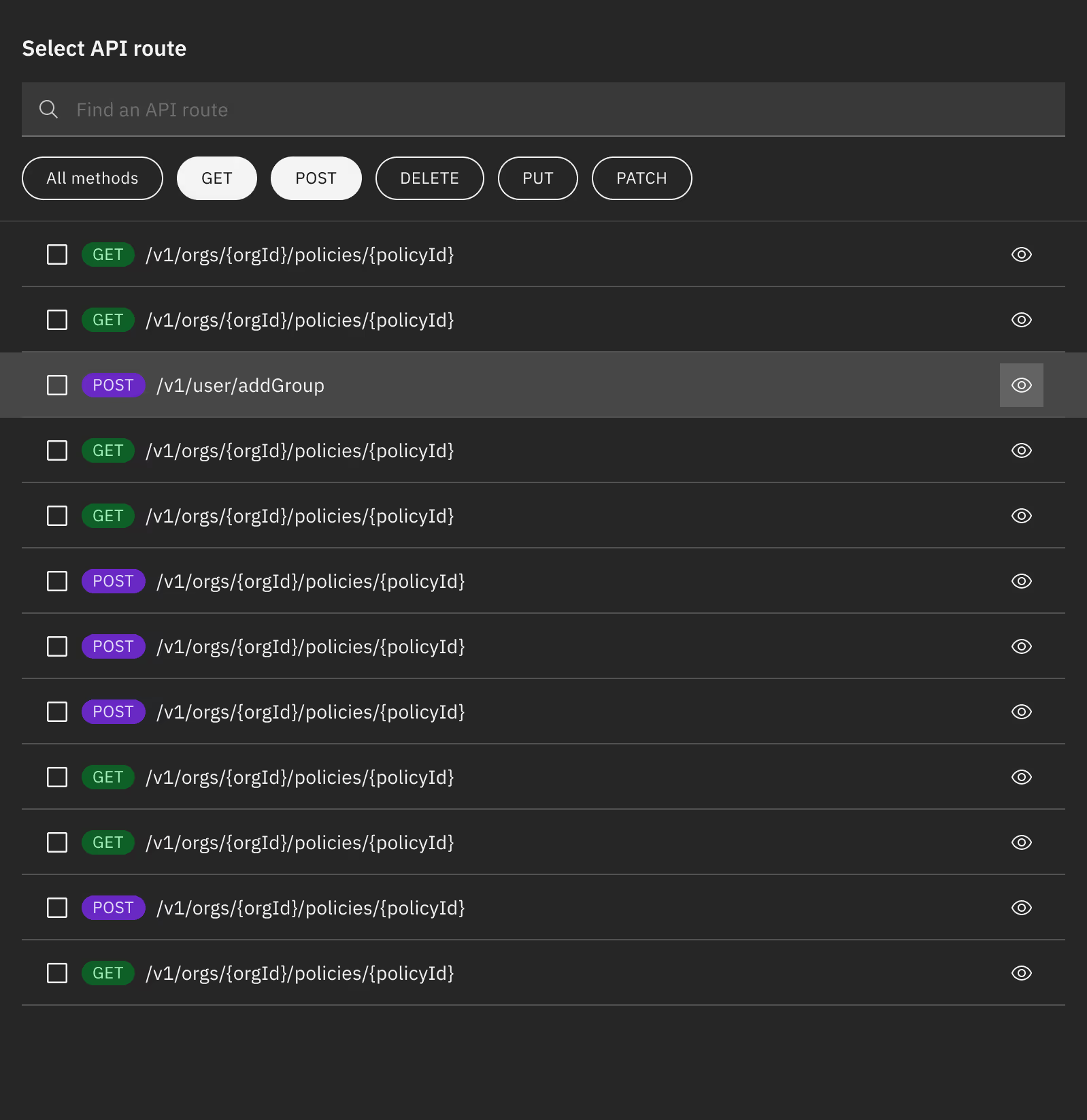
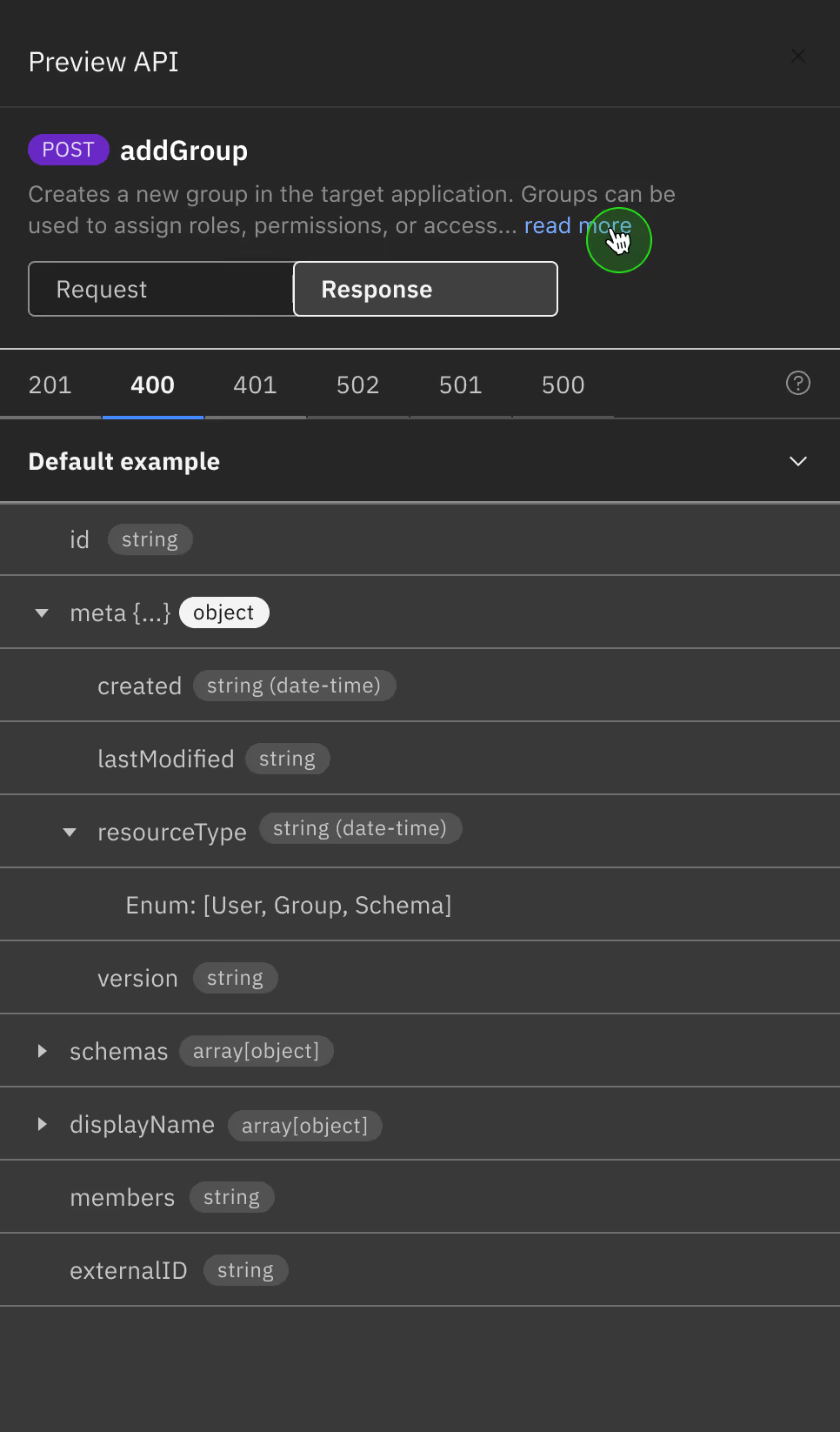

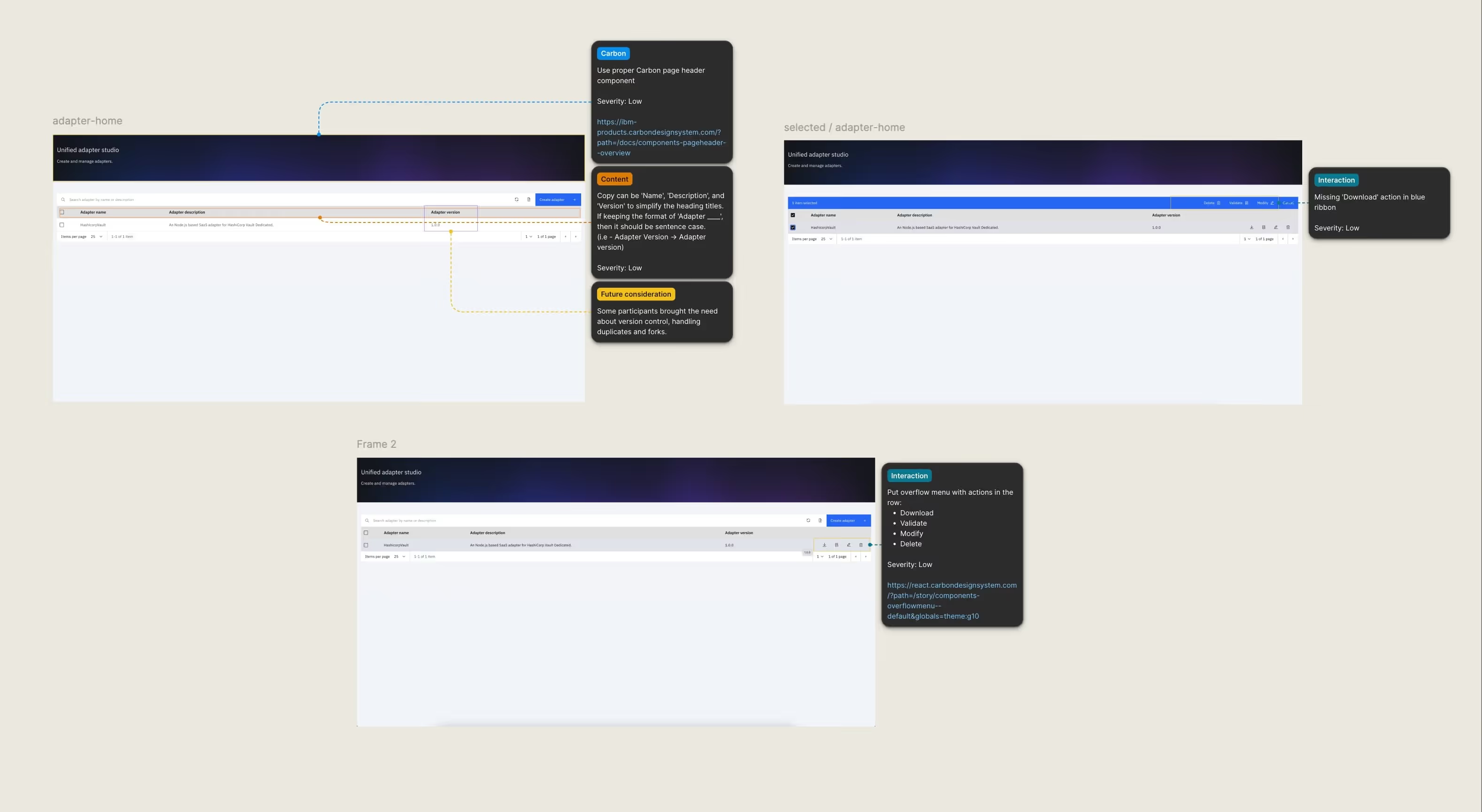
I found that as-is had a structural problem. So I ran a systematic evaluation across every step of the creation flow - annotating each screen by issue type and severity, cross-referenced against EAP session feedback. And presented the findings to engineering leadership. This was a set of 3 working sessions i hosted, with UX researcher, a content designer and UX engineer.
Then I got engineering leadership aligned. That alignment wasn't incidental, By categorizing every issue with a severity rating, a specific recommendation, and an explicit note on implementation complexity, I had removed the ambiguity that usually kills these conversations. Nobody had to guess what the work would cost or argue about priority. The evidence made the case.
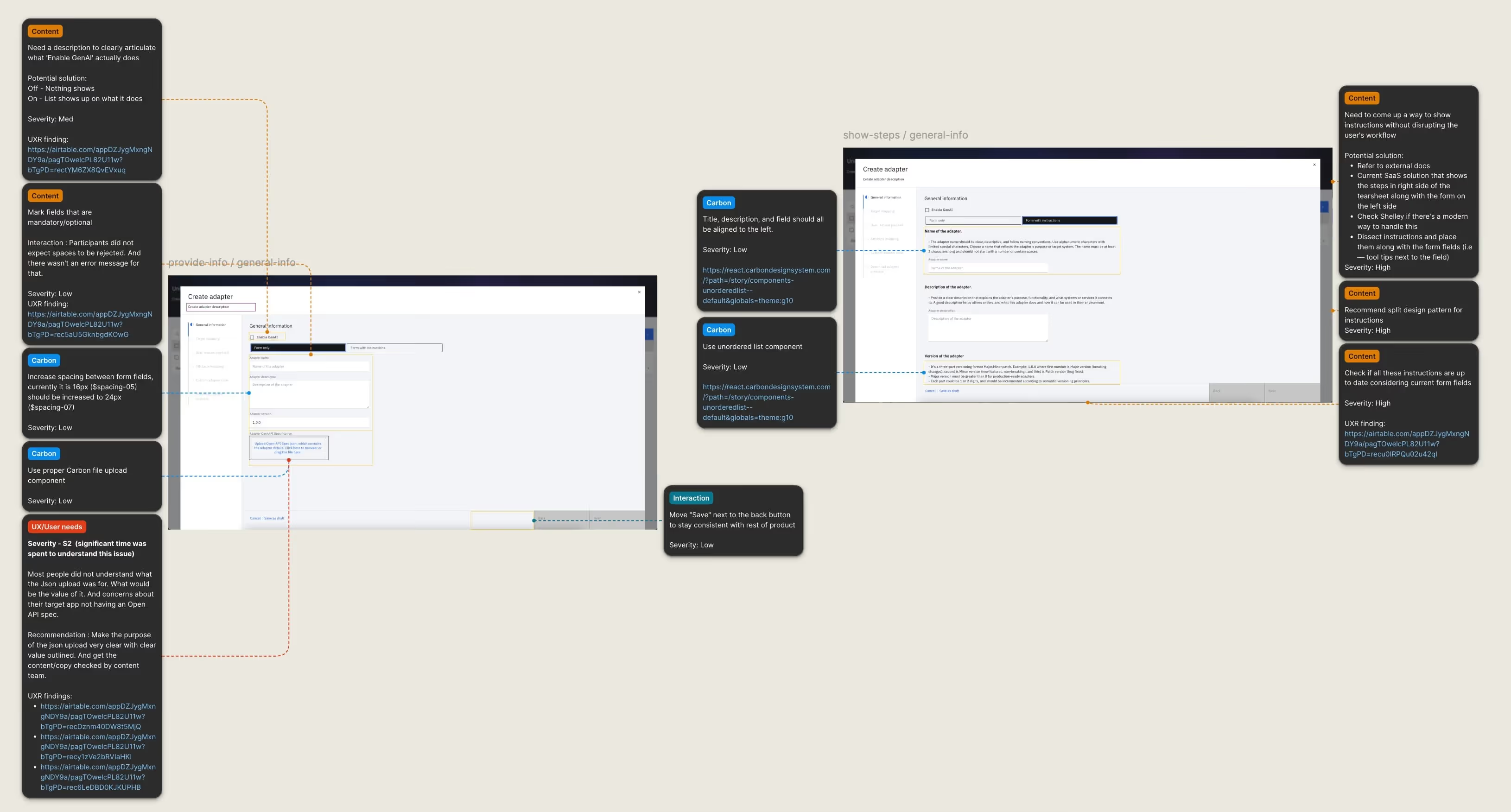
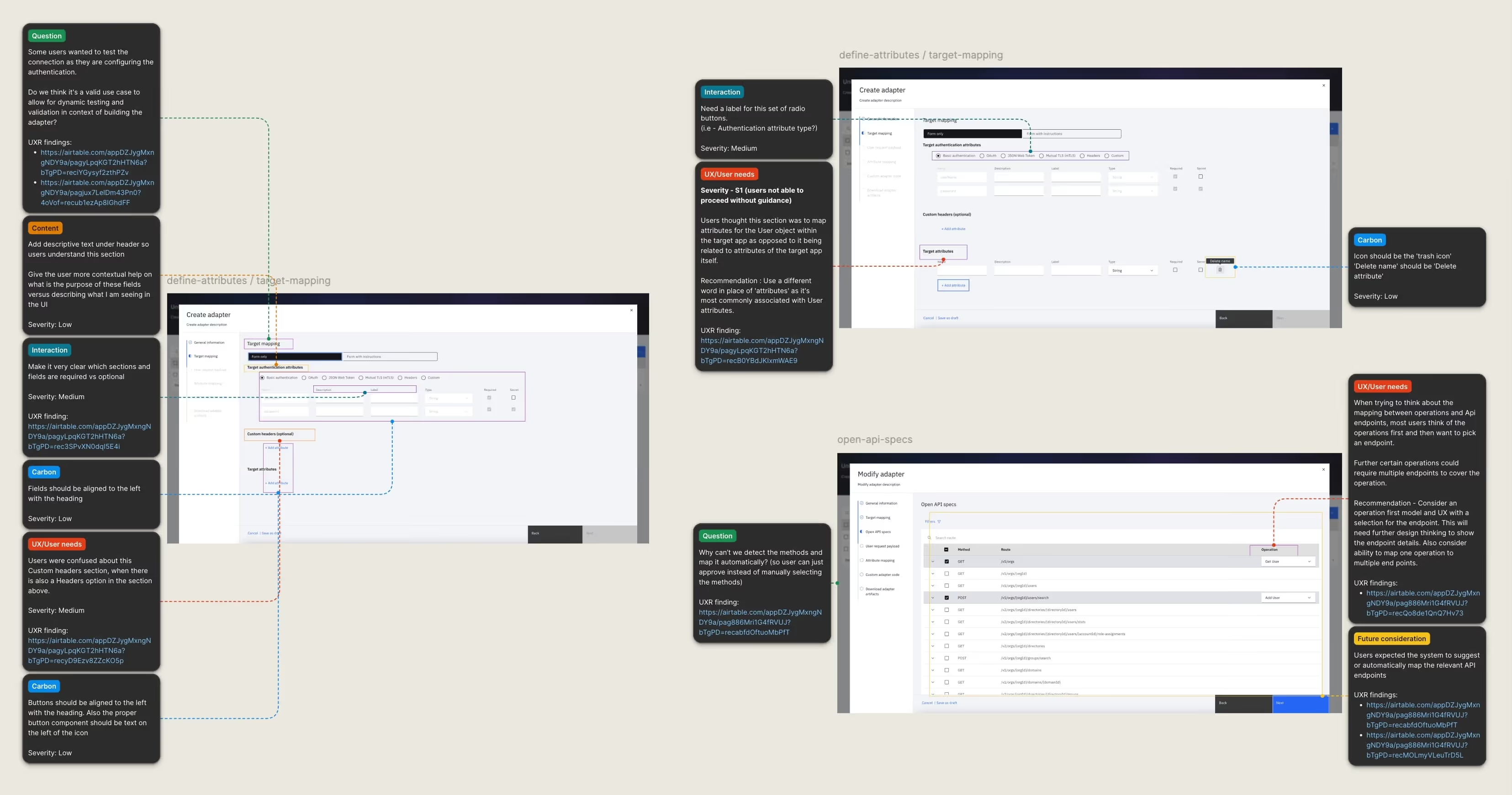
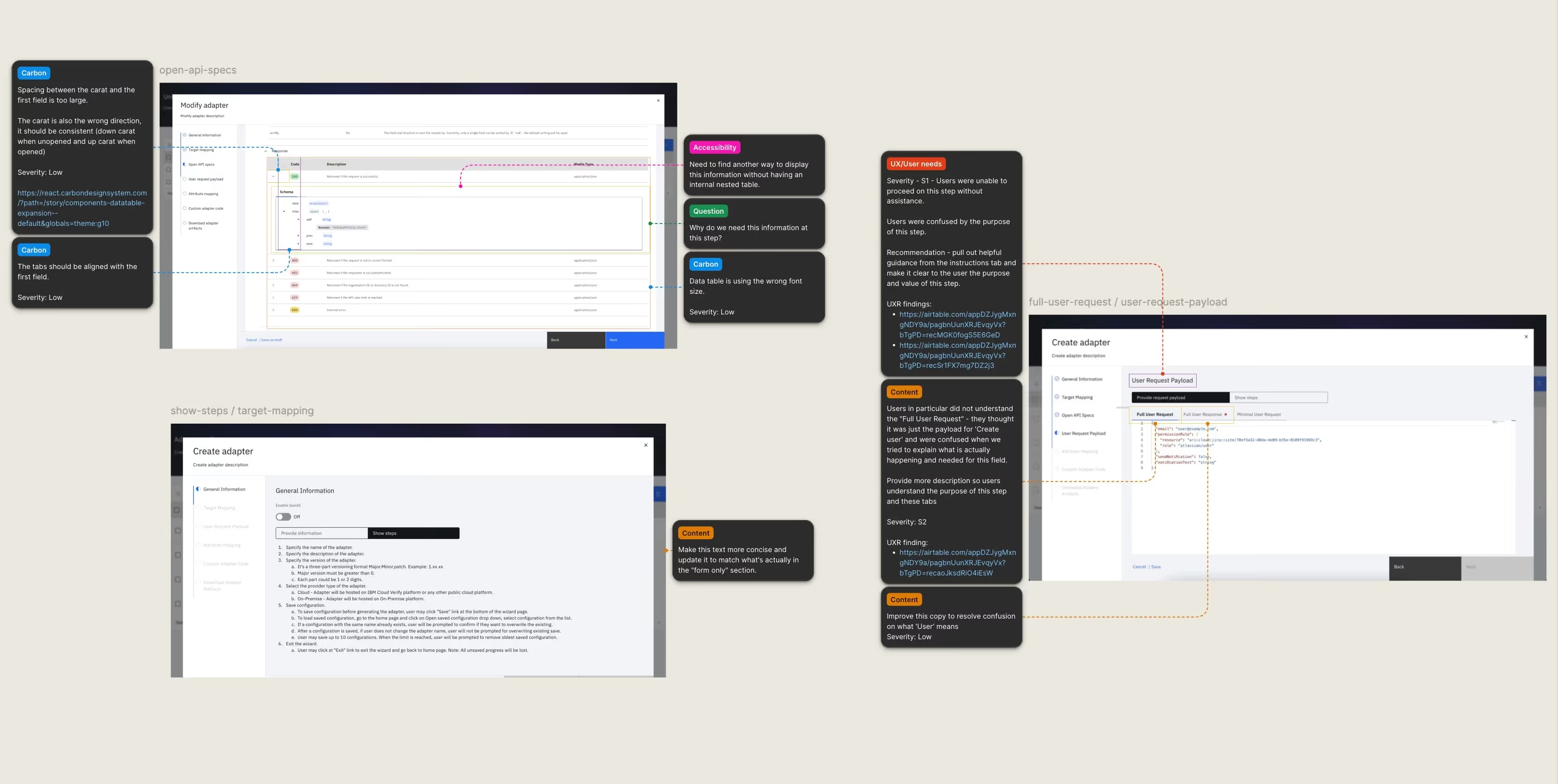
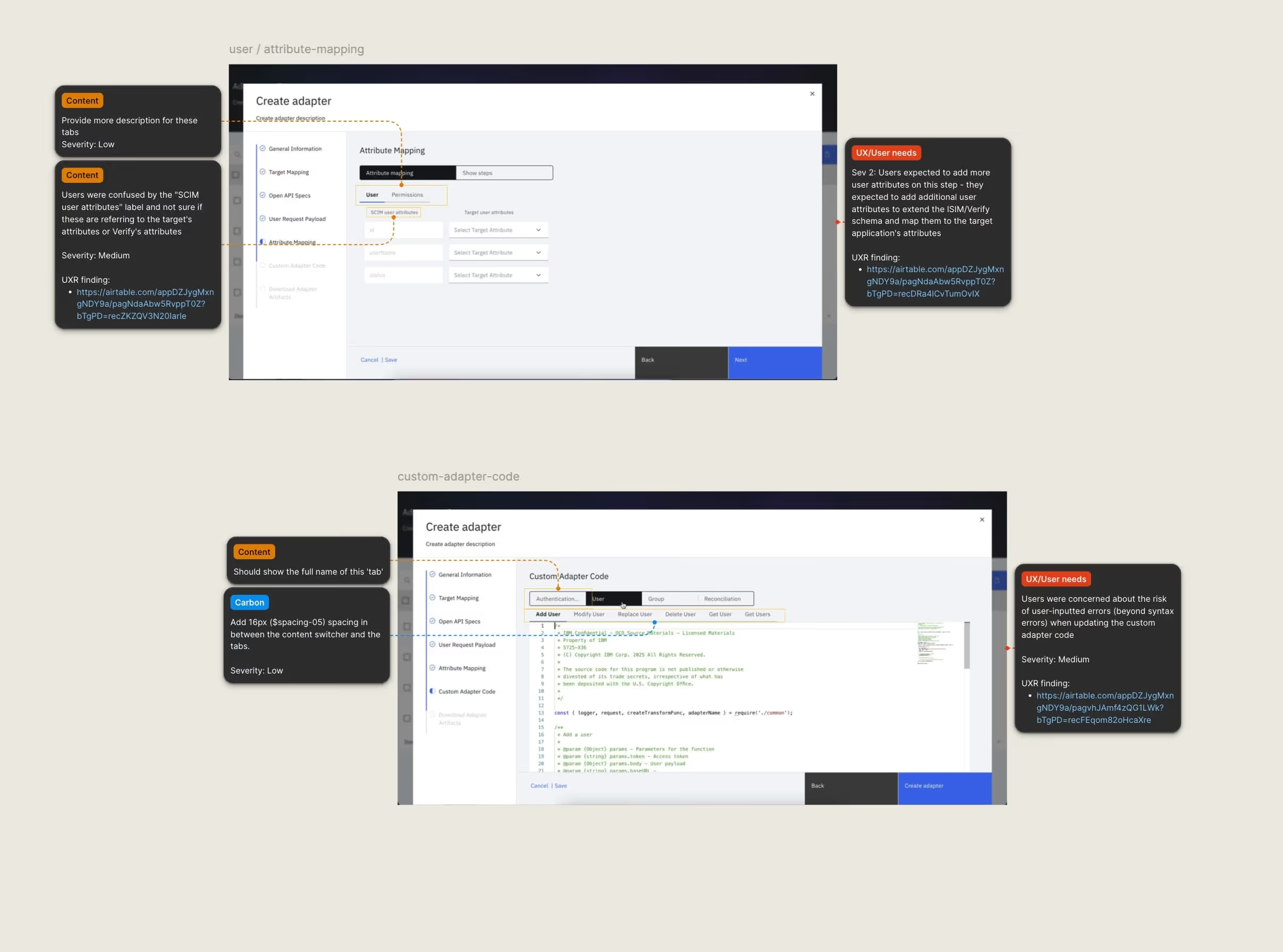
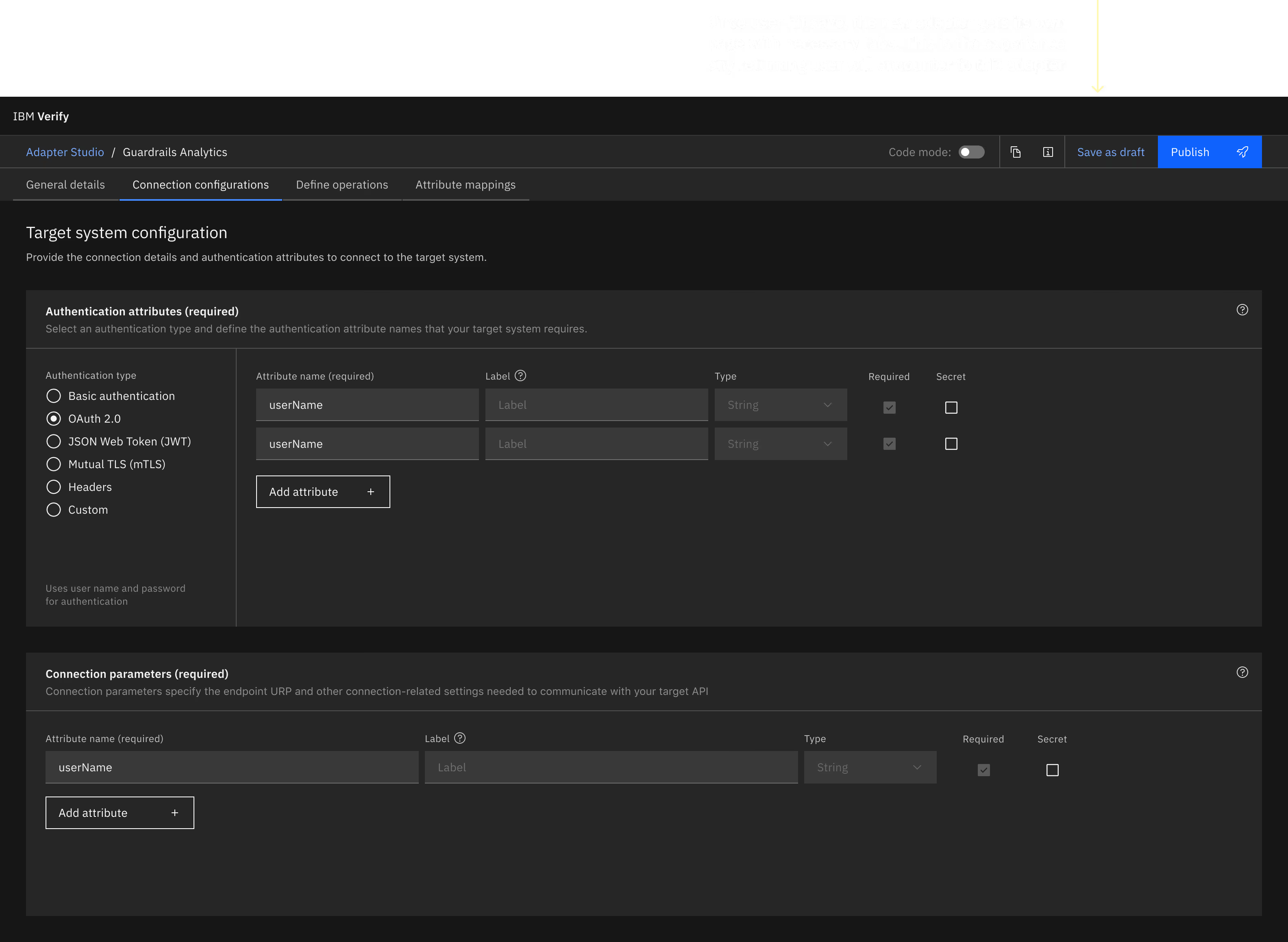
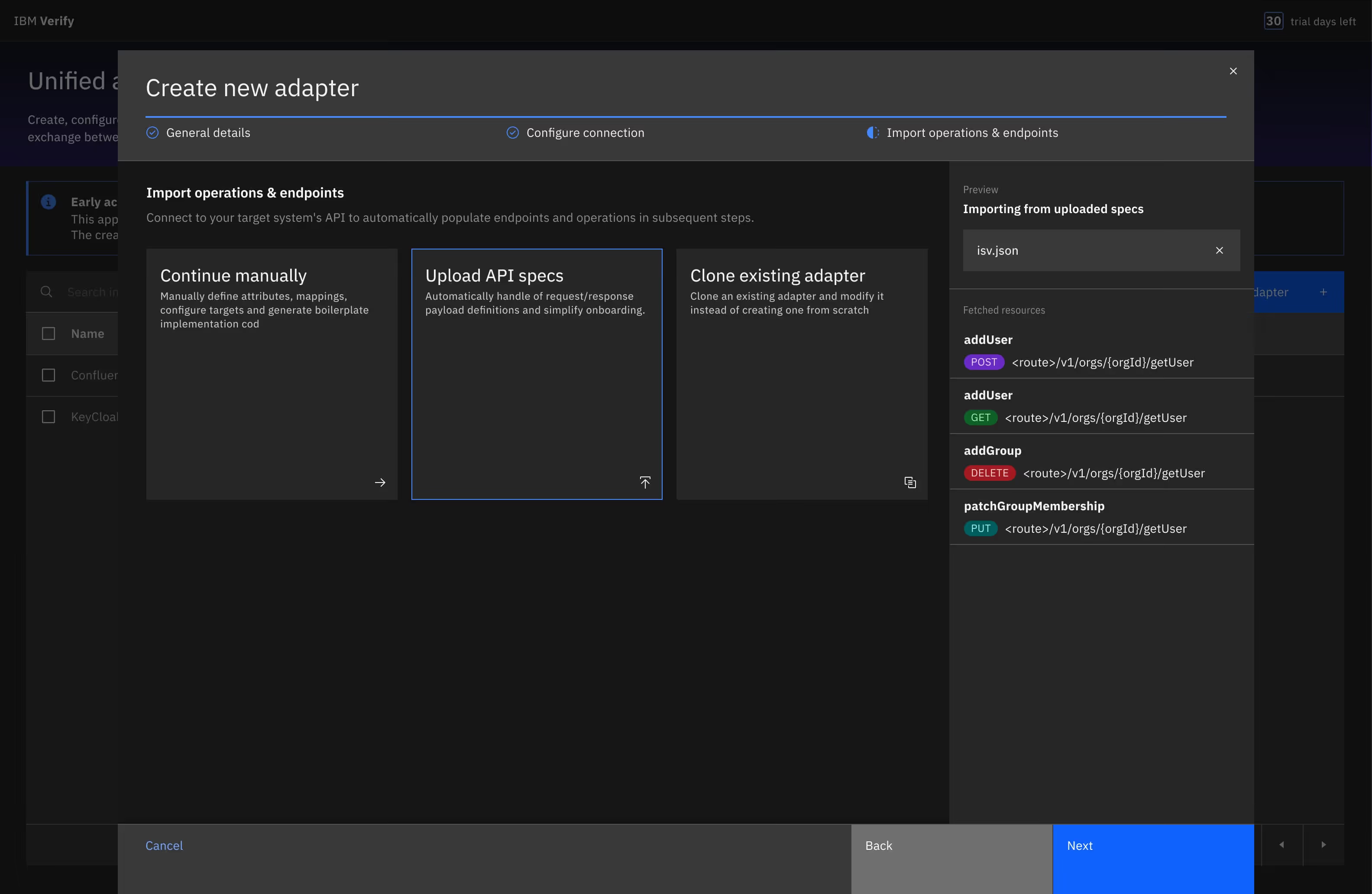
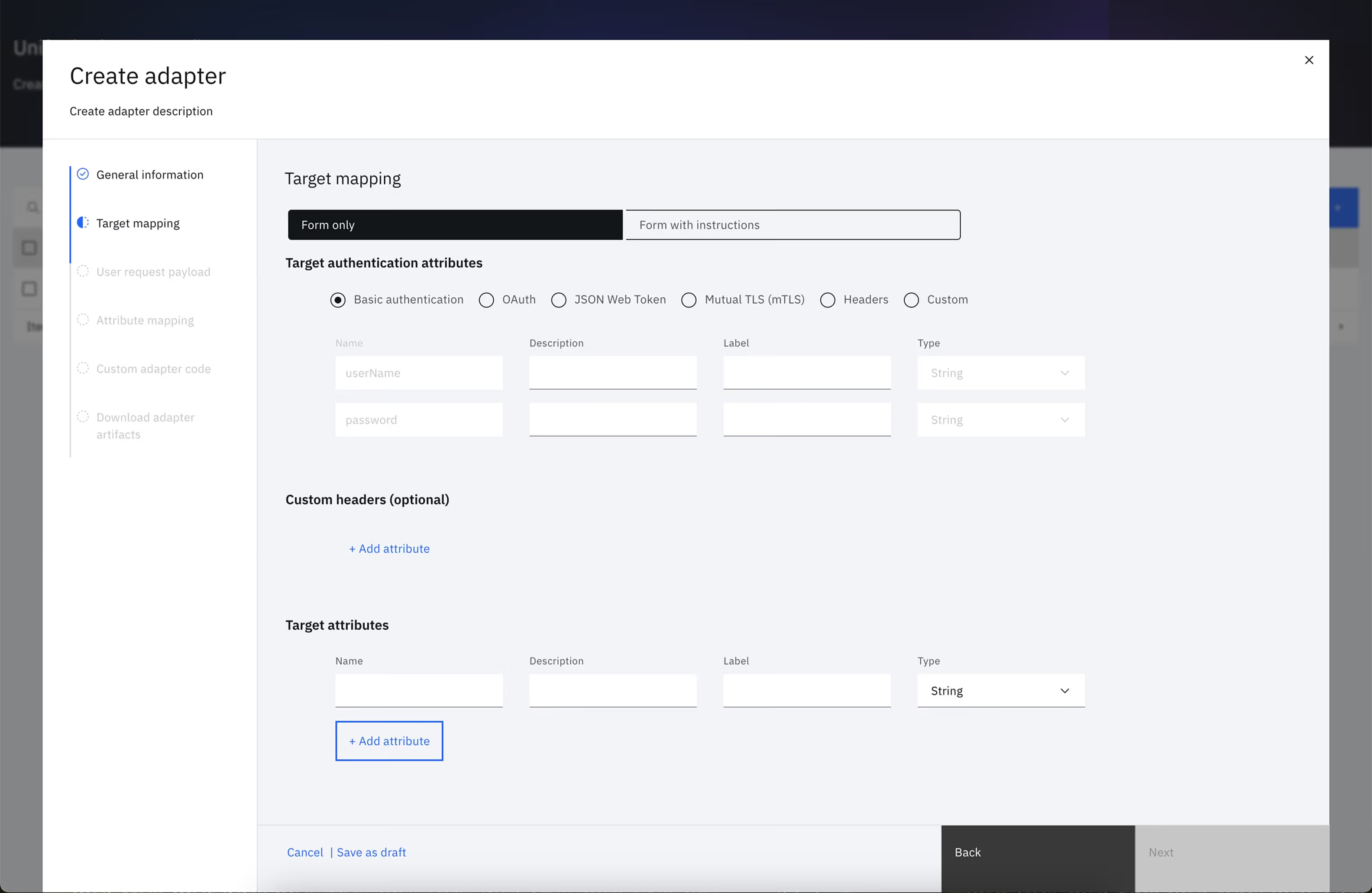
In as-is, the wizard had been built with a functional intent but had no experiential layer! Fields appeared without hierarchy. Required and optional inputs were treated identically. Instructions that should have been two sentences were paragraphs. The "Enable GenAI" toggle had no description of what enabling it would actually do.
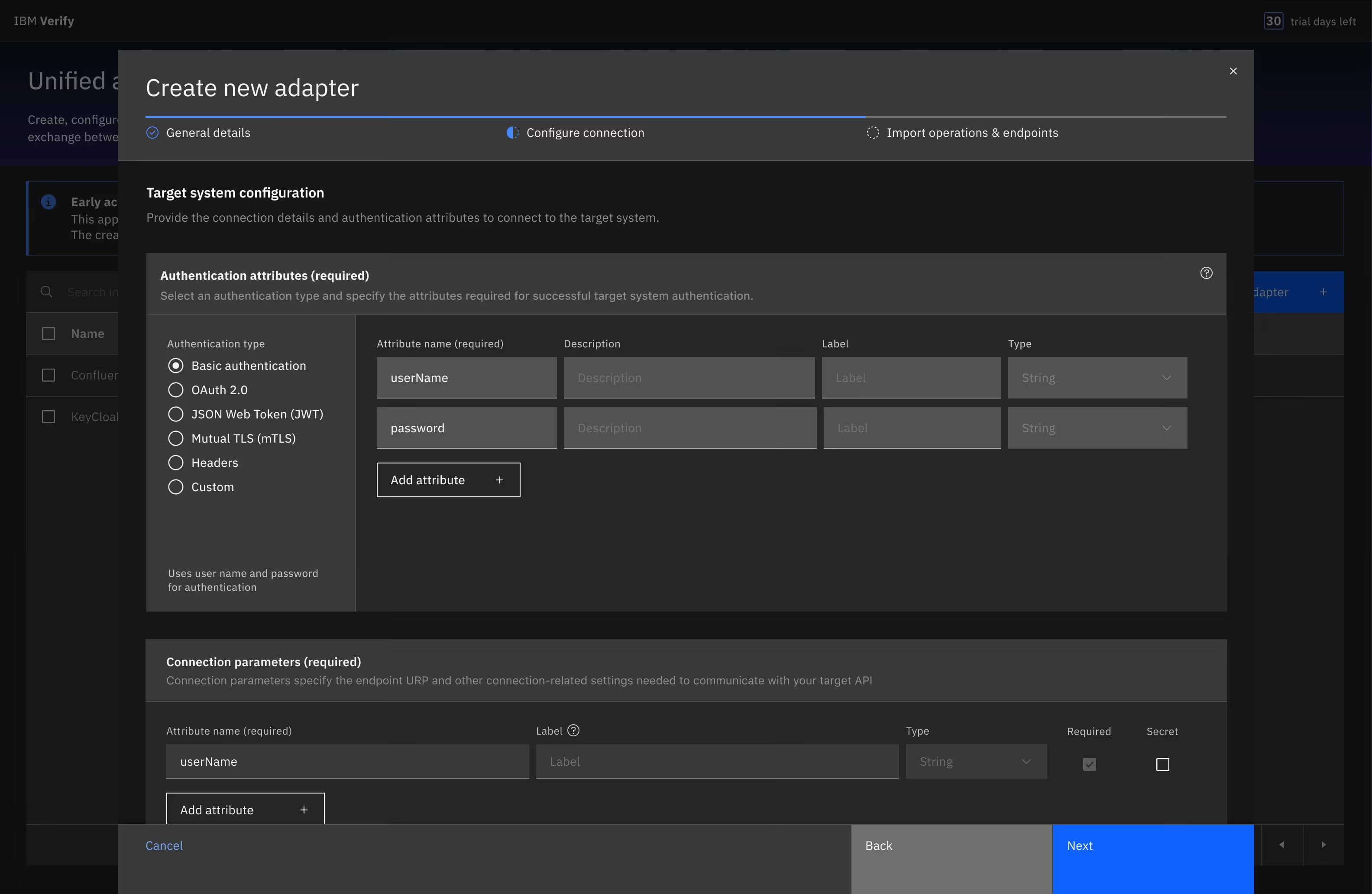
I redesigned the full creation flow with the focus on sequencing steps to match with how practitioners actually think, not how the system processes input.
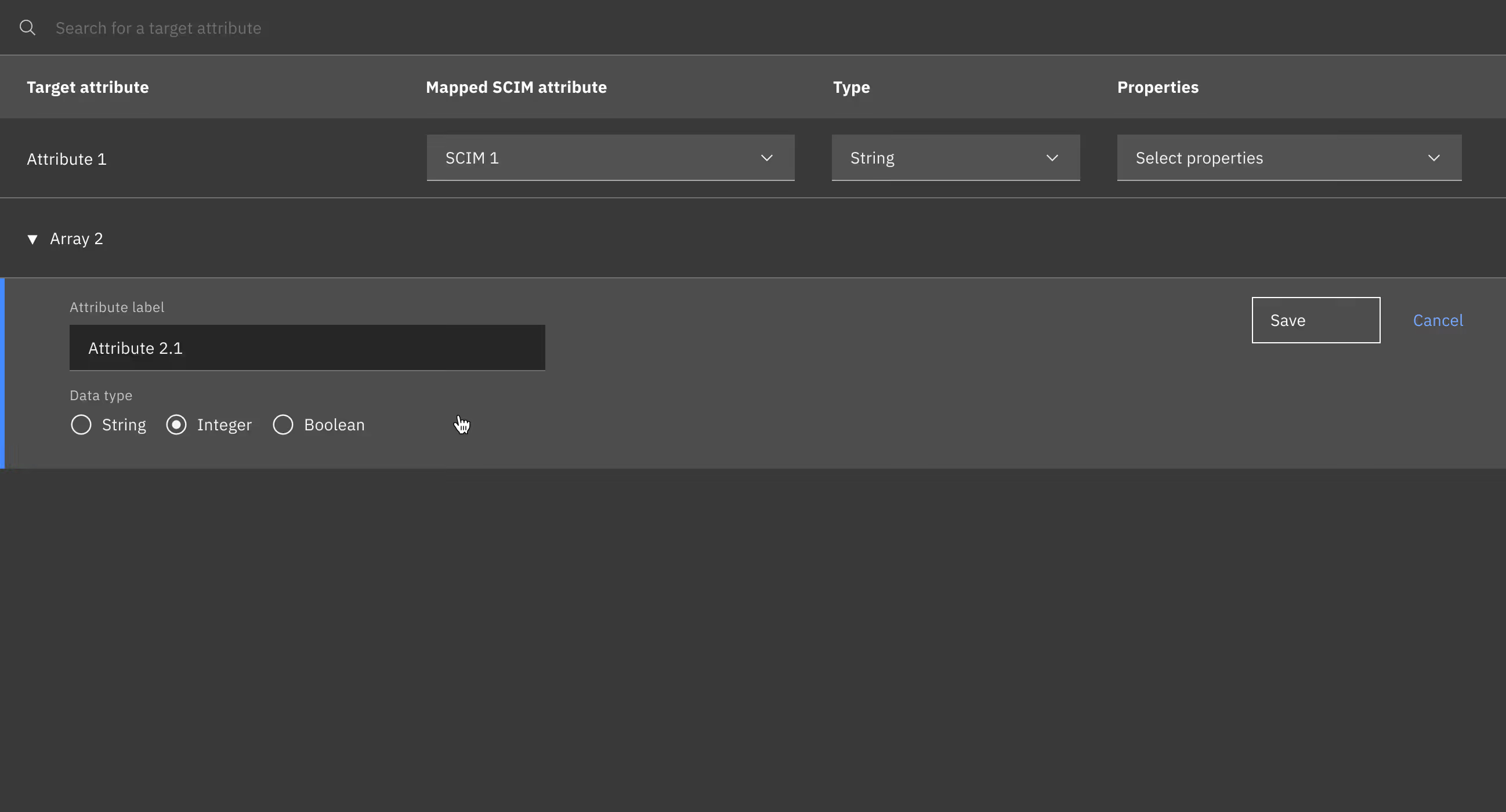
The most structural change was moving the payload step after attribute mapping. In the original flow, users were asked to define their request and response payload before they'd mapped a single attribute - the step was appearing before the reasoning that would inform it. Moving it after mapping and reframing it as a review rather than a definition task resolved the sequencing confusion without a single backend change.
The system already had the data. The order was the only thing wrong.
EAP participants filed it plainly: getting to the code to fix a single function required walking back through every preceding wizard step.
A thirty-second debug task had become a multi-step ceremony. There were 12+ customer-support tickets just around that!
The wizard worked for first-time creation. It was the wrong model for everything after it. I pushed to change the metaphor: creation stays linear and guided. But once an adapter is saved for the first time, it becomes a navigable document - six chapter, jump to any of them directly.
This reframe became the organizing principle for the entire feature. Error attribution in the validation report pointed to different chapters. The VSCode extension opened to specific chapter in context. In Phase 2, GenAI generation surfaces proposals chapter by chapter rather than as one opaque blob. One structural decision, cascading across every surface.